

10 AI Tools for Real Estate Agents in 2026
Compare 10 AI tools for real estate agents, including pricing models, workflows, pros, cons, staging, lead nurture, and CRM integration tips.
Most advice about AI tools for real estate agents starts with the wrong purchase. It tells you to find one all-purpose platform that writes listing copy, answers leads, creates visuals, manages a CRM, and supports pricing. In daily practice, that approach usually produces a crowded dashboard and shallow automation. Real estate work has distinct bottlenecks, so the strongest stack combines specialized tools for pricing support, listing preparation, property media, client presentations, lead qualification, follow-up, and outdoor design.
AI adoption has already moved into routine production work. A 2026 RPR survey reported that 82% of real estate agents were using AI tools, while 92% were either using AI or planning to use it. The same survey found that 68% of users relied on AI daily or several times a week, with 68% saving at least one hour per week and 34% saving four or more hours weekly. HousingWire's reporting on the survey makes the practical point clear: agents are using AI to compress repetitive work, not to hand over judgment.
The tools below are organized around the real estate workday. Each review covers where the product fits, its implementation effort, pricing structure, strengths, limitations, human review requirements, and CRM or listing-platform readiness. Treat every output as an assistant's draft. You still need to verify property facts, MLS requirements, disclosures, client communication, measurements, imagery, and professional recommendations before anything reaches the public.
Table of Contents
- 1. OutdoorBrite
- 2. Realtors Property Resource
- 3. Matterport
- 4. Restb.ai
- 5. CubiCasa
- 6. BoxBrownie
- 7. REimagineHome
- 8. Structurely
- 9. Roof AI
- 10. Highnote
- Top 10 AI Tools for Real Estate Agents, Feature Comparison
- Assemble the Stack Around Your Next Listing
1. OutdoorBrite
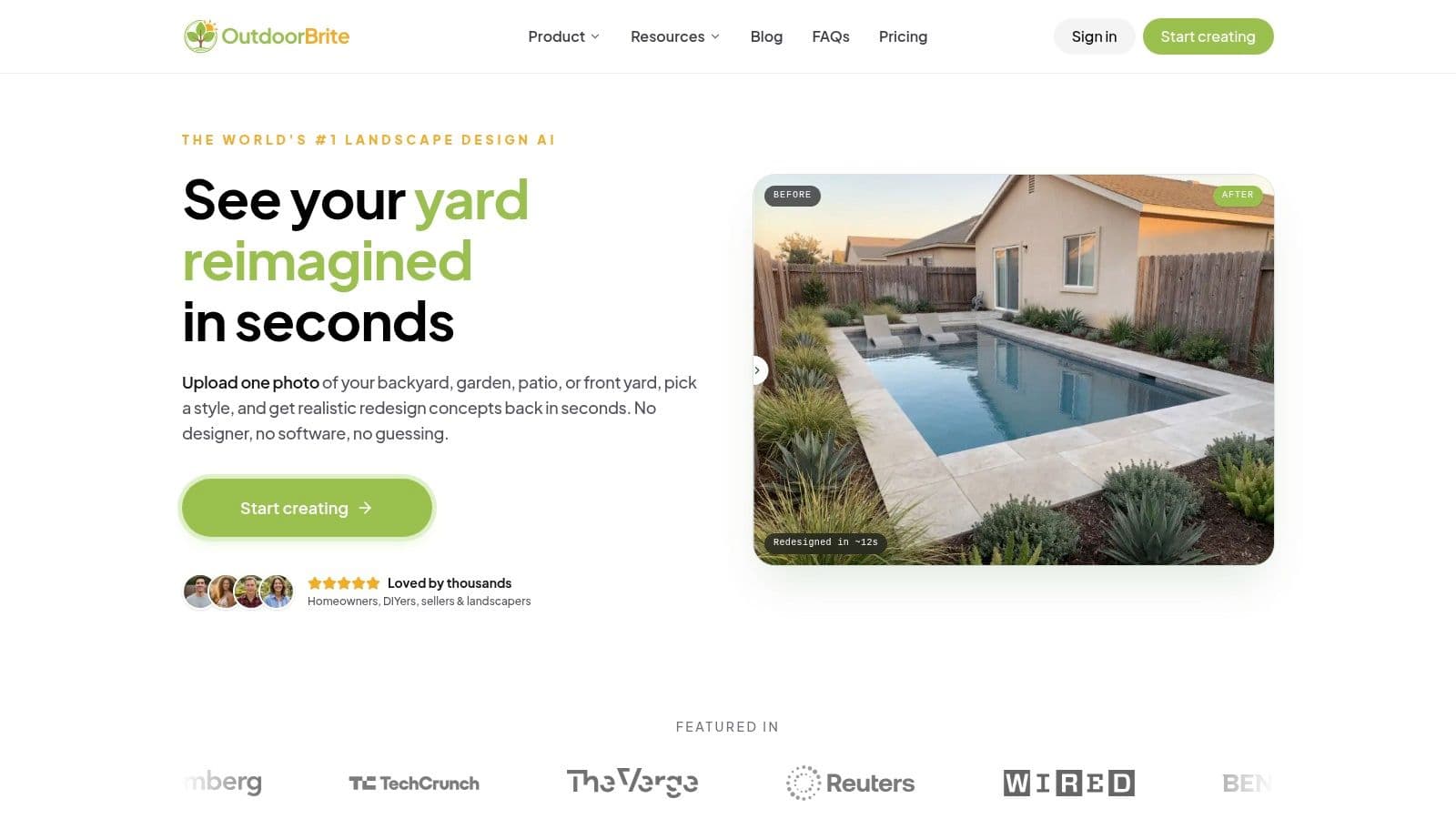
Most advice starts with one all-purpose platform, but agents usually get better results by pairing specialized tools with specific workflow bottlenecks. OutdoorBrite handles one of those moments: showing what an underused backyard, front yard, patio, or garden could become. It converts a property photo into realistic redesign concepts that support listing preparation, buyer consultations, and curb-appeal discussions.
Upload one image, select from more than 50 curated styles, and receive concepts in under a minute. Options include modern, Mediterranean, Japanese Zen, cottage, desert or xeriscape, tropical, and other recognizable directions. The system keeps the house, property lines, and general layout in view, making the result more relevant than a generic rendering. Agents can compare concepts, refine them with the elements editor, and add fire pits, pergolas, planting beds, pools, decks, and other features.
Where it fits in the workday
Use the tool while preparing a listing, discussing renovation potential with buyers, or helping sellers decide whether outdoor improvements could strengthen presentation. A neglected yard can make a property feel unfinished. A realistic concept gives clients a concrete visual to evaluate instead of relying on a verbal description.
Design professionals can also use it to prepare an early client concept before developing detailed mockups. Plans run from Starter through Business, with differences in project capacity, download resolution, and team support. OutdoorBrite uses a paid-only model, so agents should review the current OutdoorBrite pricing options before selecting a plan.
Practical rule: Use the image to start a design conversation, not to promise a permitted construction plan.
The output remains a concept visual. It does not replace measurements, grading plans, plant-suitability checks, contractor estimates, permits, or build specifications. Agents should label it accordingly and verify every property detail before using it in marketing or client materials.
The company says uploaded photos are tied to the user's account and are not sold to third parties. Agents should still follow brokerage privacy rules and obtain permission before uploading client-owned images. The site also provides idea galleries, style guides, a landscaping glossary, and calculators for mulch, pavers, and sod.
2. Realtors Property Resource
Realtors Property Resource, or RPR, is the most natural starting point for U.S. REALTORS® who need data-backed client materials without adding another standalone subscription. The platform is available to NAR members through their membership and is built around property records, local market information, reports, and REALTOR workflows.
Its AI features support several moments in the workday. AI ScriptWriter can turn local market statistics into listing copy, social posts, email language, or video scripts. AI CMA and Property Insights provide pricing support inside RPR, including mobile access for agents working in the field. Market Trends reports and trade area summaries help turn raw information into a seller conversation or buyer presentation.
The practical advantage
RPR's value isn't just the writing assistant. The platform connects generated language to property and market context, which is more useful than asking a general-purpose model to write from an unverified prompt. Branded reports can also be customized for buyers, sellers, and geographic farming.
That said, “data-connected” doesn't mean “publish without review.” Agents still need to inspect comparable selection, confirm property details, check dates, and adjust the explanation for the client's circumstances. AI can make a report readable, but it can't take responsibility for the pricing recommendation.
RPR is strongest when you already work in its data environment and want faster client-ready materials, not when you need a universal CRM replacement.
The main limitation is access. RPR is intended for NAR members in the United States, and its usefulness depends on the quality and availability of the underlying local data. For agents who already have a separate CMA process, RPR may be more valuable as a report and scripting layer than as the center of the entire business.
3. Matterport
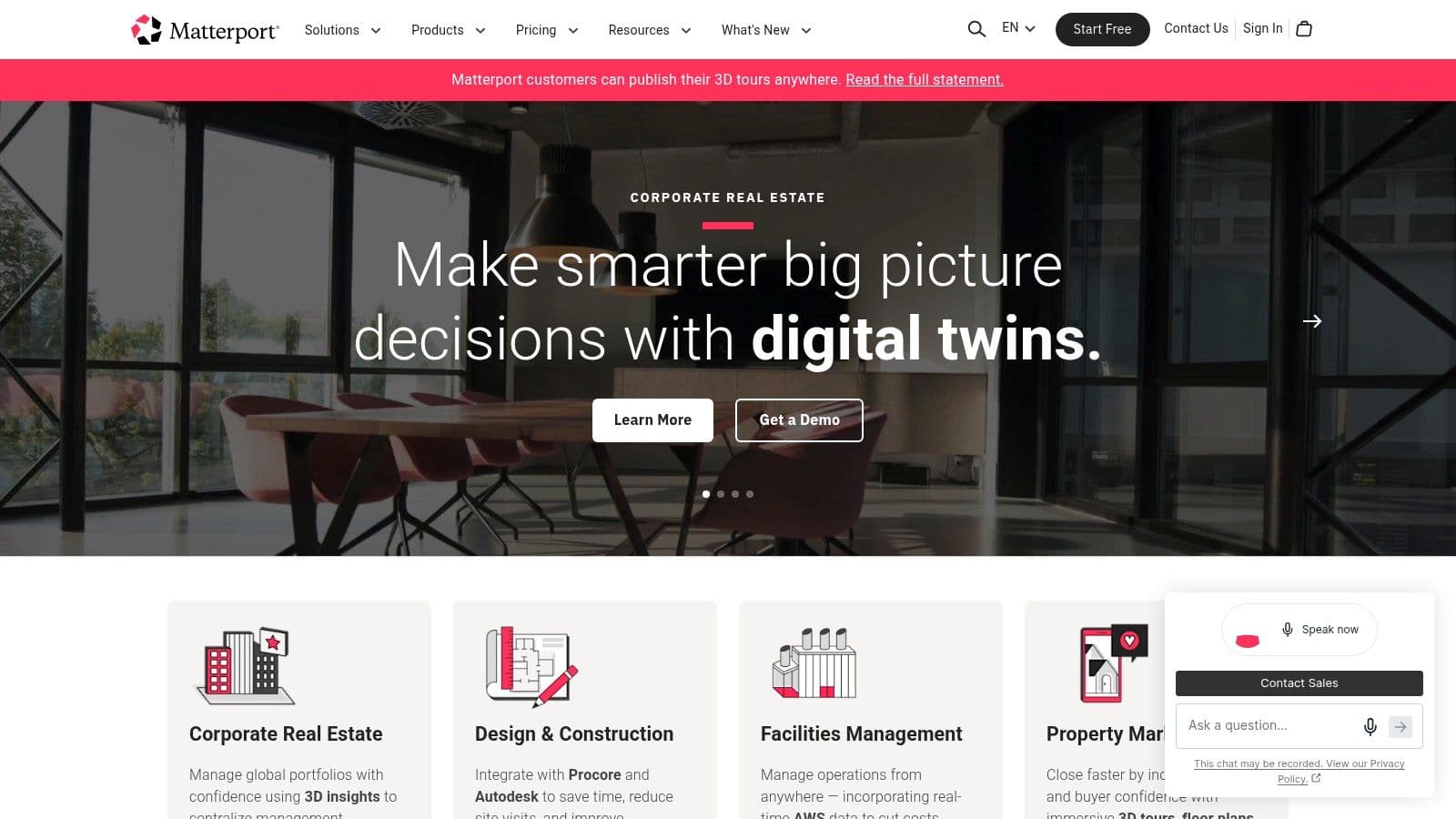
Matterport belongs at the property documentation stage, before the listing goes live and throughout the buyer decision process. Its core product creates a 3D digital twin of a property, while Property Intelligence adds AI-assisted measurements, layout extraction, schematic floor plans, and reporting from scans.
This makes Matterport useful for more than virtual tours. A listing team can reduce unnecessary site visits, give remote buyers a better sense of the property, and create documentation that helps collaborators understand the space. Schematic floor plans support branded presentations and can be offered with multilingual options. Add-ons include fast floor plans and CAD exports, while plugins and integrations are available across tiered plans.
Trade-offs before adoption
Matterport requires a more deliberate capture workflow than a phone photo upload. Teams need to learn scanning practices, manage equipment, and establish a repeatable process for preparing each property. Hardware investment may make sense for frequent listing work, but occasional agents should compare the cost and time against hiring a specialist.
AI-generated measurements and extracted layouts still need verification. If a buyer, contractor, appraiser, or seller could make a consequential decision from a dimension, confirm it independently and communicate the appropriate limitations. A digital twin is persuasive marketing and useful documentation, but it isn't automatically a survey or construction document.
For agents selling homes with substantial outdoor potential, a Matterport interior experience can pair well with ai garden design software. The former documents what exists, while the latter helps visualize what could change outside.
Matterport is a strong fit for brokerages, teams, and media partners that need recognized property experiences and repeatable listing deliverables. It's less attractive for an agent who wants instant visuals with no capture learning curve.
4. Restb.ai
Restb.ai works behind the scenes, which is why many individual agents may encounter its capabilities through an MLS, brokerage platform, or listing technology provider rather than buying it directly. The platform uses computer vision to interpret listing photos, identify rooms and features, generate captions, score condition and quality, and flag certain compliance issues.
Its real estate-specific tagging is the differentiator. Restb.ai supports more than 700 visual tags for rooms, features, and amenities, along with automatic image captions and property feature extraction. It can map condition and quality scoring to UAD C1–C6 and Q1–Q6 frameworks, and its API is designed for fast enterprise integration.
Best use case
A brokerage or MLS can use Restb.ai to reduce repetitive data entry and standardize how listing imagery feeds property records. That creates a more consistent foundation for search, filtering, accessibility, and downstream marketing. For a solo agent, the benefit is usually indirect. If the system is embedded in an existing platform, it can make listing preparation faster without adding another interface.
The limitation is commercial fit. Restb.ai is primarily a B2B product, with custom pricing and integration requirements. An individual agent generally won't get the full value without an MLS, brokerage, or software provider connecting it to the workflow.
AI captions and tags also need a human check. A photograph can suggest a room type or feature without proving its condition, dimensions, permitted status, or included status. Agents should compare generated metadata with the listing facts and remove anything that could mislead a buyer.
Restb.ai is therefore an infrastructure choice rather than a casual productivity app. It's most compelling for organizations managing large inventories, shared data standards, and multiple publishing destinations.
5. CubiCasa
CubiCasa produces 2D floor plans from a phone scan, with optional GLA reports, CAD files, and express delivery. It suits agents who want to avoid specialized equipment or a full measurement appointment while adding a useful asset to the listing package.
The workflow is simple: an agent or media partner captures the property with a phone, submits the scan, and receives a marketing-ready floor plan, typically around 24 hours according to the product description. Pricing is per order, so teams can use it listing by listing rather than adding another recurring subscription.
What agents should verify
CubiCasa fits solo agents and small teams that want floor plans to become a repeatable part of listing preparation. Pay-as-you-go pricing works well when listing volume changes from month to month. The plan can also help buyers understand room relationships more quickly than photographs alone.
Its output is designed for marketing, not design-grade tolerances. Do not use it as a replacement for an architectural drawing, survey, appraisal measurement, or construction document. Check critical dimensions, room labels, and gross living area information before using the file in pricing, valuation, or renovation discussions.
Before publishing: Compare the generated plan with the property, the listing data, and any required brokerage or MLS disclaimer.
The basic service may limit available features, while very large or unusually configured properties may require another capture method. CubiCasa is optimized for accessible listing documentation, so teams should match its output to the property and the intended use.
For agents without scanning hardware, the main implementation burden is consistency. Establish who captures the property, when the scan is submitted, and who reviews the returned plan before publication. CubiCasa is easy to test, but its value depends on reliable capture and a human check. Teams should also confirm whether the delivered files fit their listing platform, media workflow, and preferred CRM record before making the service part of every listing.
6. BoxBrownie
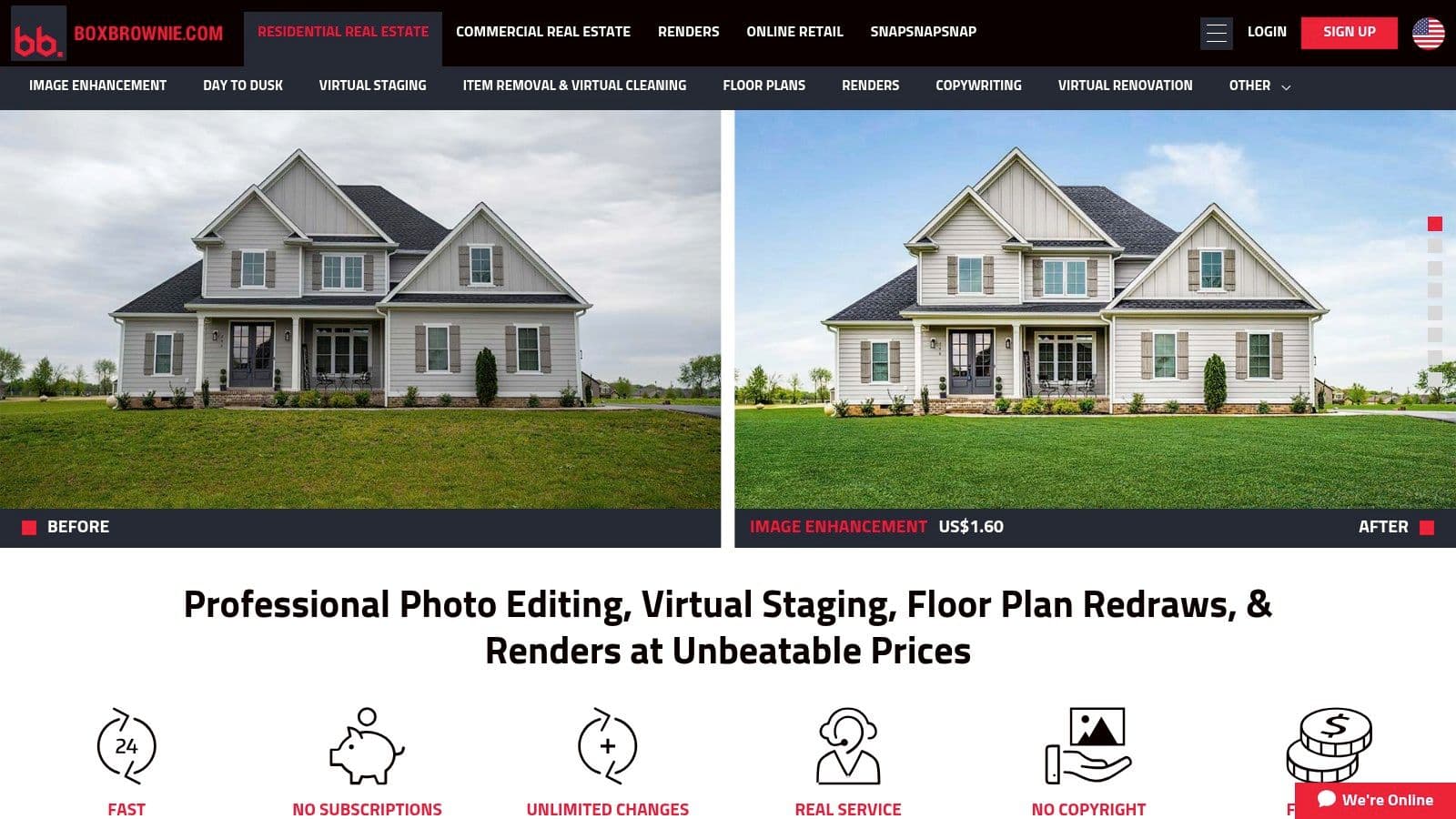
BoxBrownie takes a more controlled approach to listing imagery than instant, fully automated generation. It offers virtual staging, virtual renovation, day-to-dusk conversions, decluttering, object removal, image enhancement, and floor plan redraws, with human quality control and predictable turnaround.
That human review is the central trade-off. Agents get a more consistent look across an image set and a better chance of catching visual errors before publication. The service uses per-image pricing, which makes budgeting straightforward for a single listing, though costs can add up when a property needs extensive editing.
When consistency matters more than speed
BoxBrownie is useful when an agent needs polished, MLS-ready media and has enough lead time for a review-based process. Its stated turnaround is typically 24 to 48 hours, so it isn't the right choice for a last-minute social post or an immediate seller meeting.
The service is particularly practical for vacant properties, dated rooms, dark exterior images, and listings where visual consistency affects the perceived quality of the marketing package. Human oversight can also make revisions easier to manage than correcting an uncontrolled AI artifact after publication.
Agents still need to disclose virtual staging and verify that edits don't alter material facts. Furniture should not conceal defects, room proportions shouldn't be distorted, and twilight effects shouldn't imply lighting or conditions that aren't present.
For outdoor spaces, agents may also want quick concepts before commissioning finished imagery. A tool such as ai backyard patio design can help test ideas, while BoxBrownie is better suited to controlled listing-media production.
The practical choice is simple. Use BoxBrownie when reliability and consistent human review outweigh instant output. Choose a faster AI concept tool when the goal is exploration rather than a final marketing asset.
7. REimagineHome
REimagineHome is built for rapid visual experimentation. It can virtually stage rooms, remove furniture, redecorate spaces, and generate side-by-side variations across different design styles. New users can test the workflow with starter credits, while ongoing use follows a credit-based model and low-cost entry plans.
This makes it useful during a listing consultation. An agent can show a seller how a vacant room might read with furniture, compare a few design directions, or create a staging concept before deciding whether to order a more controlled finished asset. The speed matters because clients often make decisions more easily when they can compare alternatives rather than discuss abstract descriptions.
Where the output needs restraint
REimagineHome's pure-AI results can vary by room type, furniture library, and image quality. Generated furniture may have scale or perspective problems, and an edited room can accidentally change architectural details. Retouching and careful review are part of the workflow, not optional cleanup.
The MLS question also matters. Agents need to follow local rules for virtually staged imagery, disclosure language, and representation of the actual property. A staged image should never suggest that furniture, finishes, landscaping, or improvements already exist when they don't.
The product's low entry cost makes it suitable for occasional staging needs, especially when an agent wants to explore multiple concepts quickly. It's less dependable as the sole production system for a brokerage that needs uniform, heavily reviewed imagery across many listings.
Use REimagineHome for concept testing and fast comparison. Move to a human-reviewed service when the image will carry significant marketing weight or when visual accuracy needs a tighter production process.
8. Structurely
Structurely addresses the lead-response gap after a buyer or seller raises a hand. It engages leads through SMS, email, and voice, qualifies them, books appointments, supports live transfers, and routes conversations to agents or teams. Its focus is speed to lead and persistent follow-up, not content creation.
The pricing model combines a platform fee with usage-based action credits. That can work well for teams that want costs to track activity instead of paying for seats. Structurely also supports an AI power dialer, conversation flows, team routing, and onboarding support.
The operational cost of automation
Structurely is not a plug-and-play button that removes management. Teams need to define qualification questions, escalation rules, transfer ownership, approved language, and the point at which a human takes over. Annual contracts are the default unless the customer pays a premium for month-to-month access, and setup and onboarding fees apply.
That commercial structure makes it more appropriate for teams with enough lead volume to justify a formal conversion process. A solo agent with occasional inquiries may underuse the system or struggle to maintain the handoff discipline that makes automated follow-up useful.
Human review is essential for sensitive questions, financing discussions, fair-housing compliance, and any statement about availability, property condition, or contract terms. The system should capture context and create a timely handoff, not make promises an agent or broker hasn't approved.
Set the handoff before launch: Decide who owns a qualified lead, how quickly they respond, and what happens when the AI encounters uncertainty.
Structurely fits organizations that already have a CRM, routing policy, and someone accountable for appointments. Without those pieces, the tool can create more conversations without creating a better process.
9. Roof AI
Roof AI is a real-estate-specific chatbot and lead nurture assistant for agent and brokerage websites. It uses local MLS context to answer property questions, capture and route leads, support showing requests, build lead profiles, and manage automated follow-up.
Roof AI differs from generic chatbots by pulling local MLS context into its responses, capturing leads, and routing showing requests without handing visitors a static reply. A visitor can ask about price, features, or availability and continue toward a showing request. That relevance depends on current listing information and clearly defined response boundaries.
Brokerage and team fit
Roof AI offers a free tier, giving a brokerage or team a practical way to test the widget with live traffic before committing to a paid plan. The trial lowers implementation risk, but teams still need to check whether conversations reach the right person and whether resulting leads receive timely responses.
The product generally fits brokerages and teams better than agents with limited website traffic. Routing, reporting, and follow-up features need enough inquiry volume to justify setup and oversight. Paid-tier pricing may require a conversation with sales, so buyers should request the full cost for their intended configuration, including any CRM or website integration work.
Implementation starts with data ownership. Stale listing details can spread through a chatbot quickly, so someone must update inventory, check availability, and correct inaccurate answers. Teams should document privacy, disclosure, escalation, and human-review rules before launch.
CRM routing and response ownership determine whether the tool earns its place in the workday. Use Roof AI when the organization can maintain the website, connect conversations to the appropriate workflow, and assign a clear next action. A modern-looking widget alone will not improve lead conversion. Its value comes from turning website questions into accountable follow-up.
10. Highnote
Highnote is designed for the presentation stage, when an agent needs to turn property information, strategy, and recommendations into polished buyer or listing materials. Its AI prompts and templates help assemble presentations quickly, while engagement tracking shows when prospects open and interact with the content.
That tracking changes the follow-up conversation. Instead of guessing whether a seller reviewed the marketing plan or a buyer opened a property presentation, the agent can use engagement signals to choose a more relevant time and topic for contact. The platform also offers prebuilt templates and optional Done-For-You expert services.
What it doesn't replace
Highnote isn't a CMA or pricing engine. It works best after the agent has gathered and verified the market analysis, property information, and recommendations. AI can help structure the narrative and polish the slides, but it shouldn't invent comparable logic, market conclusions, seller expectations, or buyer suitability.
Individual pricing includes a free trial, while team and enterprise functionality requires custom plans. That structure makes it accessible for an individual agent testing presentation workflows, but larger organizations should evaluate permissions, brand controls, analytics access, and content governance before wider rollout.
A presentation also needs the same review as any other AI-assisted asset. Check every number, address, photo, claim, disclosure, and call to action. Engagement analytics indicate that someone viewed material, not why they viewed it or whether they agree with it.
Agents producing lifestyle-focused materials can also pair a property presentation with practical resources such as Best landscape design apps. The combination helps clients connect a home's existing features with realistic improvement possibilities without confusing inspiration with a professional plan.
Top 10 AI Tools for Real Estate Agents, Feature Comparison
| Product | Core features | UX / Quality (★) | Value & Pricing (💰) | Target audience (👥) | Unique selling point (✨) |
|---|---|---|---|---|---|
| OutdoorBrite 🏆 | Photo-based AI redesigns; 50+ styles; elements editor | ★★★★★ 4.8/5, fast, realistic | Subscription tiers (Starter→Business); cost-saving vs designer 💰 | Homeowners, DIYers, landscapers 👥 | ✨ Real-yard realism & instant buildable concepts |
| RPR (Realtors Property Resource) | AI ScriptWriter, AI CMA, market & trade-area reports | ★★★★, NAR-backed | Included with NAR dues 💰 | U.S. REALTORS & brokers 👥 | ✨ MLS-integrated, compliance-aware reporting |
| Matterport | 3D digital twins, AI measurements, schematic floor plans | ★★★★☆, industry standard | Tiered plans + hardware/add‑ons increase cost 💰 | Agencies, photographers, contractors 👥 | ✨ Accurate 3D scans & RICS‑standard floor plans |
| Restb.ai | Photo tagging, captions, condition scoring, compliance checks | ★★★★, enterprise speed | Custom B2B pricing; API access 💰 | MLSs, portals, brokerages 👥 | ✨ 700+ real‑estate visual tags & auto‑extraction |
| CubiCasa | Phone-scan 2D floor plans; GLA & CAD options | ★★★★, quick, marketing‑grade | Pay‑as‑you‑go per scan; no subscription needed 💰 | Solo agents, small teams 👥 | ✨ Low-barrier floor plans from a phone scan |
| BoxBrownie | Virtual staging, day‑to‑dusk, declutter, floor redraws | ★★★★☆, human-reviewed photoreal | Per-image pricing; predictable turnaround 💰 | Agents needing polished MLS media 👥 | ✨ Human QC for consistent photoreal deliverables |
| REimagineHome | AI virtual staging, furniture removal, style variations | ★★★, fast concepting | Credit-based pricing; low entry cost 💰 | Agents testing staging; occasional users 👥 | ✨ Rapid A/B staging variations for quick decisions |
| Structurely | AI SMS/email/voice conversations; qualification & booking | ★★★★, strong qualification focus | Platform fee + usage (action credits) 💰 | Teams scaling lead conversion 👥 | ✨ Live transfers & multi-channel lead qualification |
| Roof AI | Site chatbot with MLS-aware Q&A, lead capture & routing | ★★★, real‑estate trained bot | Free tier + paid plans for scale 💰 | Brokers & agents wanting capture on-site 👥 | ✨ Free tier to validate chat capture on live traffic |
| Highnote | AI slide/content generation; templates & engagement analytics | ★★★★, polished presentations | Free trial; paid tiers; DFY options 💰 | Agents creating listing & buyer presentations 👥 | ✨ Real-time viewer analytics to time follow-ups |
Assemble the Stack Around Your Next Listing
The best AI stack begins with the bottleneck that costs you the most time or creates the most avoidable risk. If pricing conversations consume your preparation time, start with RPR. If buyers need stronger remote context, test Matterport. If every listing needs a practical floor plan without specialized equipment, CubiCasa may be the better first experiment. If staging is the recurring problem, compare BoxBrownie's human-reviewed production with REimagineHome's fast concepting.
That order matters because subscriptions compound quickly when agents buy tools by category instead of by need. Choose a pricing model that matches listing volume and operational capacity. Per-order services can be sensible for inconsistent volume, credit-based systems can suit active teams, and membership-based access can be valuable when it already sits inside an organization's existing professional ecosystem.
A practical combination might look like this:
- Pricing and market materials: Use RPR for data-supported reports, scripts, and pricing conversations, then have the agent verify the comparables and explanation.
- Property documentation: Choose Matterport for richer digital twins and repeatable media workflows, or CubiCasa for accessible phone-based floor plans.
- Visual staging: Use BoxBrownie when human review and consistency matter, or REimagineHome when the priority is fast comparison and early-stage ideas.
- Outdoor redesign concepts: Use OutdoorBrite to show how a yard, patio, garden, or front entrance could support curb appeal and buyer imagination.
- Client presentations: Use Highnote to build polished buyer and listing presentations, while keeping pricing logic and property facts under human control.
- Lead response: Consider Structurely or Roof AI only when the team can support routing, escalation, CRM ownership, and timely human follow-up.
Integration is where many otherwise good tools fail. Map lead fields consistently across systems, define who owns each lead and when routing occurs, and connect follow-up tasks to the CRM rather than leaving them inside an isolated AI inbox. Preserve the original source data before AI enrichment so agents can see what the prospect or listing record contained.
Review generated copy and visuals before publishing. Confirm MLS rules, brokerage branding, privacy requirements, photo permissions, disclosure standards, fair-housing considerations, and the accuracy of property facts. For measurements, floor plans, valuation support, and renovation concepts, state clearly what the output is and what it isn't.
Industry adoption data supports a workflow-first approach. In 2026, only 1.9% of real estate brokerages said they had no plans to adopt AI, down from 4% in 2025 and 10.6% in 2024, while the share reporting no AI use fell from 24.8% in 2024 to 3.9% in 2026, according to HousingWire's brokerage adoption reporting. The point isn't to collect tools because adoption is rising. It's to build a controlled system that saves time where your business loses it.
Start with one workflow, document the review process, and test the handoff with real work before adding another subscription. The best AI stack makes an agent faster without removing the judgment, accountability, and personal trust clients rely on.
OutdoorBrite turns photos of backyards, patios, gardens, and front yards into realistic redesign concepts that agents can use during curb-appeal conversations, listing preparation, and buyer consultations. Visit OutdoorBrite to explore styles, refine outdoor elements, and give clients a clearer vision of what a property could become.
See your yard reimagined
Start creating