

Best AI Tools for Home Design: 2026 Buyer's Guide
Discover the best AI tools for home design in 2026. Our guide compares top platforms for features, realism, and actionable plans to help you choose.
You're probably staring at a photo of your yard, patio, or half-finished room thinking the familiar thought: I know I want it better, but I don't know where to start.
That's exactly where AI home design tools help. They turn a blank page into options fast. The problem is that a lot of these tools stop at “looks nice.” If you're planning a real backyard project, that isn't enough. You need to know which tools are good for inspiration, which ones are good for layout, and which ones help you move toward something buildable.
Here's the short version. Some AI tools are great at giving you a polished visual. Some are better at planning. Very few do both well, especially for outdoor spaces. That's the filter I'd use if you want the best AI tools for home design without wasting time on flashy demos.
The New Era of AI Home Design Inspiration
You no longer need pro design software to test ideas for your home. What used to be niche software for architects now sits in front of everyday homeowners, renters, and DIYers. A projected 2026 roundup from Chaos listed 20 AI tools for architects across concept design, BIM, rendering, construction planning, code compliance, and education, which tells you how wide this category has become beyond simple image generation (Chaos).

That shift matters because homeowners now expect the same things professionals want. Fast redesigns. Photo-based workflows. Style presets. Simple controls. On the consumer side, “free” often means free for a minute, then paid. Apartment Therapy's review, cited in the same Chaos discussion, noted tools charging $12 to $19 per month, which tells me subscriptions are the standard model now, not one-time software purchases (Chaos).
Why this market got crowded fast
The good news is that access got easier. The bad news is that reviews often lump everything together.
A floor-planning tool, an AI staging tool, and a backyard visualizer aren't doing the same job. If you treat them like interchangeable apps, you'll pick the wrong one. I see this all the time with outdoor projects. Someone uses a tool built for interior inspiration, gets a gorgeous render, then realizes it doesn't help with the actual patio layout, path flow, or planting logic.
Practical rule: If the tool only gives you a pretty image, it's inspiration. If it helps you make decisions on space, materials, and next steps, it's part of the project workflow.
That's also why broader AI workflow thinking matters. If you're curious how this same shift is changing the building side, Foundation's piece on optimizing homebuilder operations with AI is worth reading because it shows how AI is moving from novelty into actual production use.
What I'd focus on first
Before you compare brands, answer one question.
Do you want to see a finished result, or do you want to plan one?
That split decides almost everything. It decides whether you need a photorealistic rendering engine, a layout-first planner, or a tool that can at least bridge the gap between the two. For anyone shopping for the best AI tools for home design, that distinction is the difference between a fun toy and something you'll utilize.
Defining Your Goal Photorealistic vs Conceptual Tools
If you don't separate these two categories, every tool starts to sound the same. They aren't.
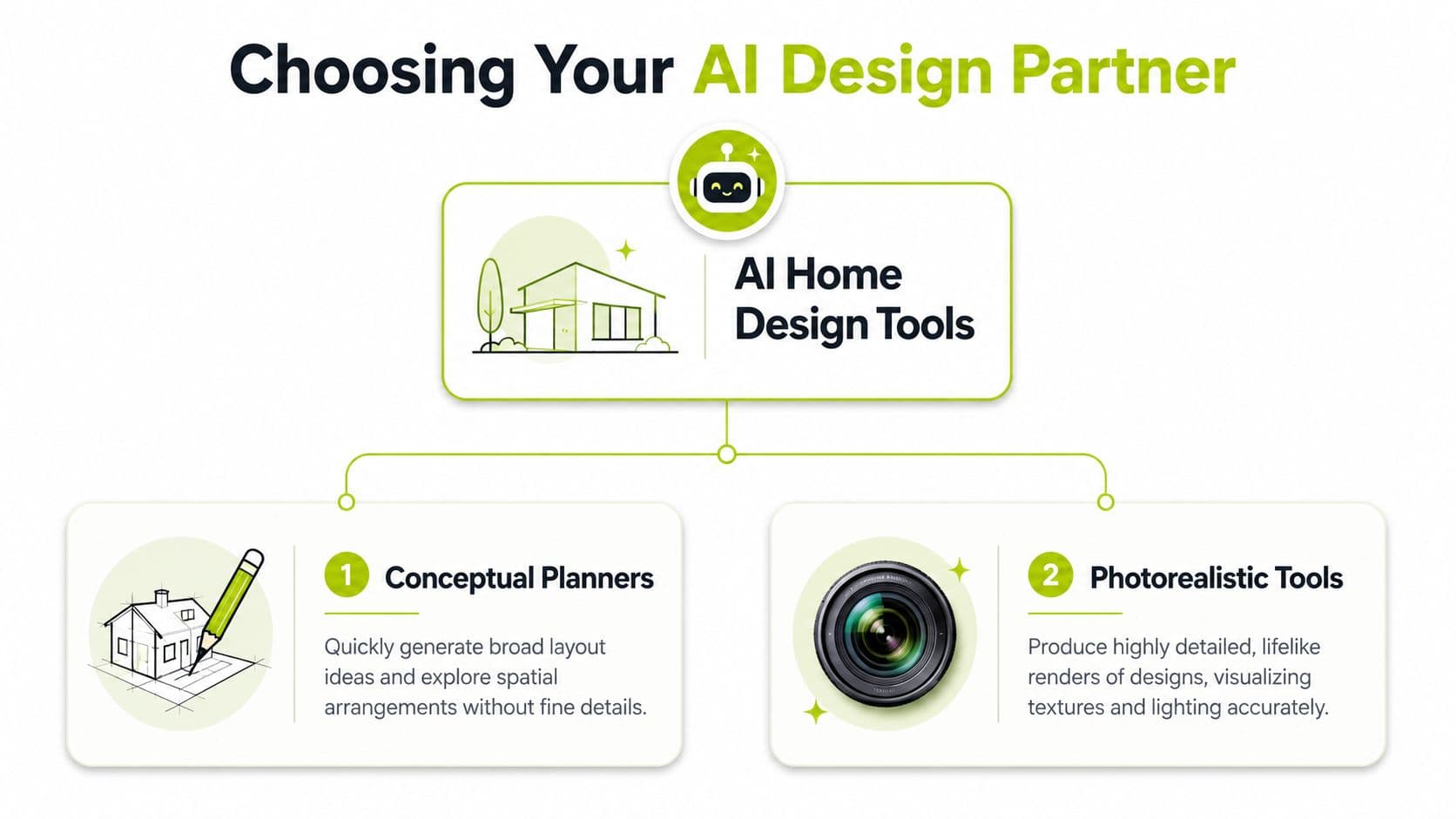
Conceptual planners
These are the tools I'd use when the structure of the project matters more than the visual polish. They help with layout, room flow, floor plans, and editable 3D space.
Planner 5D is the clearest example in this group. It says its AI floor plan recognition can turn a room photo into an editable 3D home design, and it also supports 3D and VR walkthroughs plus AI-generated 3D furniture (Planner 5D). That's useful when you're still deciding where things should go, not just what they should look like.
What these tools do well:
- Layout thinking: They help you test space relationships.
- Editable planning: You can usually adjust more than surface finishes.
- Execution support: They're closer to planning software than image generators.
What they don't always do well:
- Immediate realism: The first output may feel less emotionally convincing.
- Outdoor nuance: Some are still better indoors than outside.
Photorealistic tools
These are the tools most homeowners gravitate toward first because they're satisfying. Upload a photo, choose a style, and get something that looks close to finished.
Apartment Therapy reported that some consumer tools can work from photos, sketches, and floor plans, while tools highlighted by Planner 5D and others now extend beyond indoor rooms into exteriors like patios, yards, and gardens (Planner 5D). That's the key shift. AI home design isn't trapped inside the living room anymore.
Here's the video version if you want to see how this category typically gets framed:
Which category should you choose
Use this quick filter.
| Goal | Better fit |
|---|---|
| Rearranging a space from scratch | Conceptual planner |
| Visualizing a makeover from a real photo | Photorealistic tool |
| Comparing finishes, mood, and style directions | Photorealistic tool |
| Testing layout logic before spending money | Conceptual planner |
| Planning an outdoor redesign from an existing yard photo | Photorealistic tool with outdoor focus |
A conceptual tool answers, “What fits?” A photorealistic tool answers, “What could this look like?”
For most backyard projects, people need both. They want a fast visual to react to, then enough structure to decide whether the idea makes sense in the yard. That's why the best AI tools for home design aren't just the ones with the prettiest output. They're the ones that match the phase of the project you're in.
Top AI Home Design and Landscape Tools Compared
Here's the fast scan first.
| Tool | Primary Use | Input Method | Output Quality | Pricing Model |
|---|---|---|---|---|
| Planner 5D | Layout and editable 3D planning | Room photo, floor plan | Strong for planning and 3D editing | Subscription or paid tiers |
| Home Visualizer AI | Photorealistic redesigns for interiors and exteriors | Elevations, photos, concept inputs | Strong visual realism | Paid access |
| VisualizeAI | Rapid concept visualization | Images, sketches, floor plans | Strong visual concept output | Paid access |
| REimagineHome | Virtual staging and fast makeover concepts | Property photos | Strong for staged scenes | Paid access |
| Collov.ai | AI virtual staging and room visualization | Interior photos | Strong for decor-focused visualization | Paid access |
| OutdoorBrite | Outdoor photo-based redesigns | Yard, patio, garden, and exterior photos | Photorealistic outdoor concepts | Subscription |
Planner 5D
Planner 5D is the planner in this group. If you're starting from a rough layout, or you need something editable instead of a one-shot image, it's one of the more useful options. Its AI floor plan recognition can turn a room photo into an editable 3D design, which is a meaningful step beyond static inspiration.
Best fit: users who need to think through space, not just style.
I'd recommend Planner 5D when the project is still fuzzy. You're moving walls in your head, reworking circulation, or trying to understand how zones relate. It's less exciting than a flashy instant render, but more helpful when you need decisions you can build on.
Home Visualizer AI
Home Visualizer AI sits on the other side of the spectrum. It's strong when you already have a photo or elevation and want a polished redesign. The reason it matters here is that it isn't stuck indoors. It can render exterior spaces too, including patios, yards, and gardens, which makes it relevant for curb appeal and exterior planning.
If your goal is client-facing visuals or quick style exploration, this kind of tool is effective. If your goal is detailed project planning, it still needs backup from your own judgment or a planner.
VisualizeAI
VisualizeAI is a fast concept engine. I'd use it when I want range. Try different design directions, pressure-test an idea, and see what the same space looks like in multiple moods without rebuilding the scene each time.
This is useful early. It's less useful once you're asking practical questions like, “Will that path width feel right?” or “Can those materials coexist without the yard looking overdesigned?”
REimagineHome and Collov.ai
These two are closest to staging tools. They shine when the project is presentation-heavy. Real estate is the obvious use case, but homeowners can use them too when they want to compare decorated versions of the same space.
AI staging platforms have shown a 42% increase in property listing engagement in the verified benchmark data provided for this article. That matters because it confirms what these tools are built for: strong pre-visualization that preserves key architectural features while changing decor and atmosphere.
If you're evaluating this category for property marketing, Bounti Labs has a practical explainer on understanding virtual property staging that helps separate staging use cases from full design planning.
Outdoor-first tools
For a backyard project, I'd stop pretending indoor-first tools are enough. They're not. You can still use them for idea generation, but outdoor work has different constraints. Slope, circulation, planting density, shade, drainage, hardscape transitions. Those don't show up just because a render looks expensive.
If you want a photo-first workflow aimed at exteriors, an ai landscape design generator is the more relevant category. It starts with the actual yard, not an abstract room template, which is the right direction if your project lives outside.
The mistake most people make is using an interior AI app for a landscape problem, then wondering why the result feels decorative instead of usable.
My blunt ranking by use case
- For editable planning: Planner 5D
- For polished exterior visualization: Home Visualizer AI
- For fast concept exploration: VisualizeAI
- For staging and listing visuals: REimagineHome or Collov.ai
- For real-yard inspiration from a photo: an outdoor-specific outdoor scene generator
That's the honest split. No single tool dominates every scenario. The best AI tools for home design depend on whether you're planning a room, staging a listing, or trying to redesign a backyard you can build.
Beyond the Render Is Your AI Plan Actionable
A render can be beautiful and still be useless.
That's the biggest gap in this category, especially outside. Apartment Therapy's review called some AI design tools “fun for ideas, not always realistic,” which matches what I've seen. They're good at mood. They're weaker at the next step, especially when the project depends on spacing, fit, and physical constraints (Apartment Therapy).
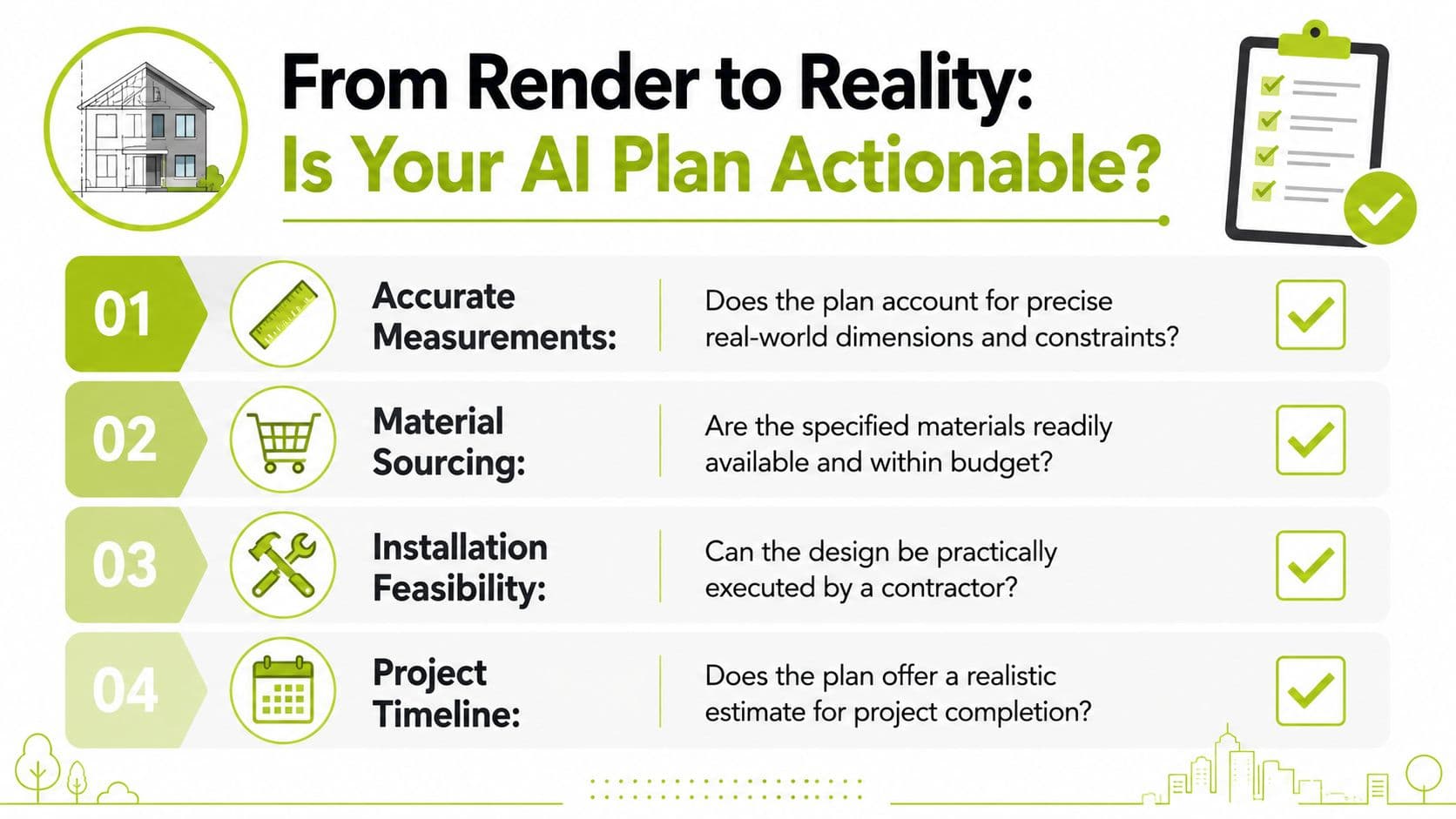
What makes an outdoor plan usable
A backyard concept becomes actionable when it helps you answer real questions.
- Fit: Does the patio, path, or bed layout make sense in the actual footprint?
- Use: Can people move through the space comfortably?
- Materials: Can you identify what you'd need to buy or price out?
- Installation: Could a contractor or DIYer interpret the concept without guessing everything?
A lot of AI outputs fail on the second step. They look coherent in a single image but break down when you imagine walking through the space or building it with real materials.
The outdoor test most tools fail
Outdoor projects punish vague design. Indoors, a slightly odd chair placement is mostly harmless. Outside, a bad concept can mean wasted stone, crowded plantings, or a path that pinches where people walk.
Don't ask only, “Do I like this image?” Ask, “Can this image survive contact with measurements, weather, and labor?”
That's why actionability matters more in exterior design work than in generic interior inspiration. Plant spacing, sun exposure, drainage logic, and hardscape alignment don't magically resolve themselves because the render has nice lighting.
A simple checklist before you trust the output
Use this filter on every AI result:
- Trace the circulation. Can someone walk through the space without awkward turns or dead zones?
- Name the surfaces. If you can't tell what's gravel, paver, decking, turf, or planting bed, the render isn't specific enough.
- Check scale by objects. Benches, planters, steps, and dining sets expose proportion problems fast.
- Look for build clues. Does the tool support a workflow that gets you closer to dimensions, materials, or contractor discussion?
If the answer is no on most of those, the tool is giving you inspiration. That's fine. Just don't mistake it for a plan.
Real World Scenarios and AI Tool Selection
Choosing gets easier when you stop comparing tools in the abstract and match them to the project sitting in front of you.
The weekend DIYer with a tired patio
This person has a real photo, a fixed footprint, and limited patience. They don't want to learn design software. They want to see different patio moods fast, then decide whether they like clean modern lines, Mediterranean planting, or a softer garden look.
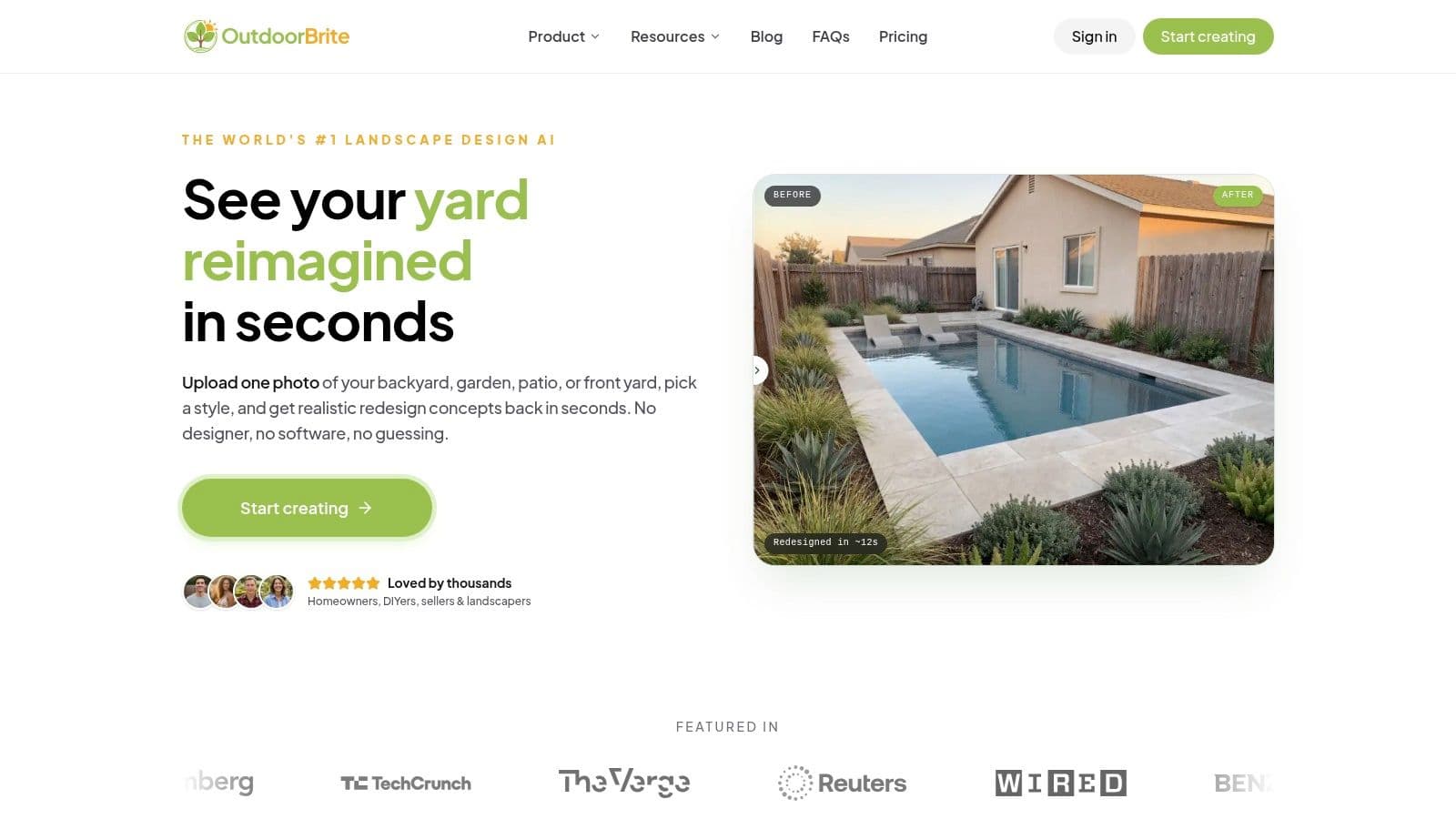
I'd point them to a photo-first outdoor tool. If the project is specifically a yard makeover from an existing image, backyard ai design is the right kind of workflow because it starts from the actual space instead of making you model everything from scratch.
The homeowner planning a full redesign
This person needs more than style. They need a way to compare layouts, then test visual directions. For these tasks, many people should use two tools, not one.
Start with a planner when the layout is unsettled. Move to a rendering tool when the structure feels right. That handoff matters. The stronger AI systems in the verified benchmark data can reach 94.2% semantic pixel accuracy, process 4K renders in under 12 seconds, and export generated 3D models back into CAD workflows, which makes them far more useful when structural coherence and contractor communication start to matter.
If you're discussing bids or material takeoffs, you're past the “just show me something pretty” stage.
The real estate agent dressing up an exterior
This user doesn't need a full design package. They need a convincing image that helps buyers imagine the property with stronger curb appeal. For that, staging-style AI tools or exterior visualization tools make sense. The goal is presentation and buyer imagination, not a detailed install roadmap.
That's a different standard, and it's fine to choose a tool built for that. Just don't expect it to produce an outdoor design plan someone can execute without extra work.
The detail-obsessed renovator
This is the person who wants realism, editing control, and a path into technical validation. They're more likely to benefit from tools that connect generated visuals back into 3D or CAD-oriented workflows. These are not always the easiest tools, but they're the ones that become more valuable as the project gets larger and more expensive.
For them, convenience matters less than coherence. They need fewer “wow” images and more outputs that hold up under scrutiny.
Making Your Final Choice with Our Recommendation Framework
Use this framework and you'll narrow the field quickly.
Start with what you have
If you already have a photo of the space, choose a photo-first tool. If you're starting from a blank slate or a rough layout, choose a planning tool first.
That single decision removes half the noise in this market.
Decide what you need next
If your next decision is emotional, meaning style, mood, finishes, curb appeal, then pick a photorealistic renderer. If your next decision is practical, meaning layout, dimensions, zones, then pick a conceptual planner.
AI staging and visualization tools matter because pre-visualization changes how people decide. In the verified data for this article, virtual staging tools showed a 42% increase in property listing engagement, which reinforces a simple point: realistic previews help people commit faster. That applies to homeowners too, not just agents.
Match the tool to the space
Indoor-first tools can still help with outdoor projects, but they aren't where I'd start if the whole job is a backyard, garden, or patio. Exterior work needs tools that understand the existing photo, preserve the hard boundaries of the space, and give you concepts that feel tied to the site.
That's where Outdoorbrite fits. It's an outdoor-specific option built around turning yard and patio photos into redesign concepts, which makes it more relevant for homeowners working on exterior projects than a generic room visualizer.
My straightforward recommendation
If your project is indoors and layout-heavy, use Planner 5D.
If your project is visual-first and exterior-focused, use an outdoor photo-based tool.
If your project is property marketing, use a staging-oriented tool.
The best AI tools for home design aren't the ones with the most features. They're the ones that reduce the next decision you need to make.
That's the whole game. Pick the tool that gets you from uncertainty to the next concrete move.
Frequently Asked Questions About AI Home Design
How much do these tools usually cost
Expect subscriptions, not one-time licenses. In consumer-facing AI design, free tiers often turn into paid plans quickly, and verified examples in this article include pricing from $12 per month to $19 per month in the consumer market as discussed in the earlier source from Chaos.
Can I use them on a phone or tablet
Usually, yes. The strongest tools are moving toward low-friction workflows, especially ones that start from a photo upload. That makes them much easier to use on a phone or tablet than older design software.
Are AI home design results good enough for a contractor
Sometimes, but not by default. A render is useful for communicating taste and direction. It's not automatically a build document. If you're hiring someone, use the AI output as a visual brief unless the platform also supports editable planning, dimensions, or export into more technical workflows.
What's better for a backyard project, interior AI or landscape AI
Outdoor-centric AI. Interior tools can still spark ideas, but they often miss outdoor realities like circulation, hardscape fit, and planting logic. If the space is outside, start with a tool built for outside.
Can these tools help before selling a home
Yes, especially for visualization and staging. That's where AI is strongest. It helps buyers picture a finished version of the property before any physical work happens.
Is the best AI tool always the most realistic one
No. Realism helps, but usefulness matters more. A slightly less polished tool that helps you think through layout or next steps is often more valuable than a gorgeous image that stalls the project.
If you want to test ideas on a real yard without wrestling with pro software, OutdoorBrite is a practical place to start. Upload a photo, explore different outdoor styles, and use the results to figure out what's worth building before you spend money on plants, stone, or labor.
See your yard reimagined
Start creating