
The 10 Best Garden Design Apps for 2026
Looking for the best garden design app? We review 10 top tools for AI redesigns, DIY planning, and pro visuals. Find the perfect app for your project.
You're in the yard with a phone full of saved ideas, trying to decide what fits your space. A wider path might solve the muddy shortcut by the side gate. Raised beds could tidy up the back corner. A new patio sounds good until you start wondering how much room it will steal from the lawn. That's usually the point when a good garden design app proves its value.
The best tools help you test ideas before you spend money on pavers, plants, edging, soil, or irrigation parts. In real projects, that matters more than flashy previews. Some apps are best for fast visual mockups. Some are better for edible garden planning. Others make more sense for contractors, design-heavy remodels, or homeowners who need accurate measurements and cleaner client-style presentations.
That's also why this guide is organized by best use case, not just by feature list. If you want AI help, a free option, a pro-grade tool, or something simple enough for a weekend DIY project, the right pick changes fast. Matching the app to the job saves time and usually prevents a bad download.
If you want more options focused specifically on free and low-cost tools, see Best landscape design apps.
Some apps look impressive for five minutes and fall apart once you try to map a real yard with slopes, existing beds, awkward corners, or irrigation zones. The tools in this list earned their place because each one fits a clear job. That makes it easier to choose the right app for your project and skill level, instead of sorting through ten versions of the same sales pitch.
Table of Contents
- 1. OutdoorBrite Money
- 2. iScape
- 3. Home Design 3D
- 4. Planner 5D
- 5. Garden Planner (Artifact Interactive)
- 6. GrowVeg Garden Planner
- 7. GARDENA myGarden + Sprinkler Planner
- 8. Realtime Landscaping Pro (Idea Spectrum)
- 9. VizTerra (Structure Studios)
- 10. SketchUp
- Top 10 Garden Design Apps: Feature Comparison
- Start Designing Your Perfect Garden Today
1. OutdoorBrite Money
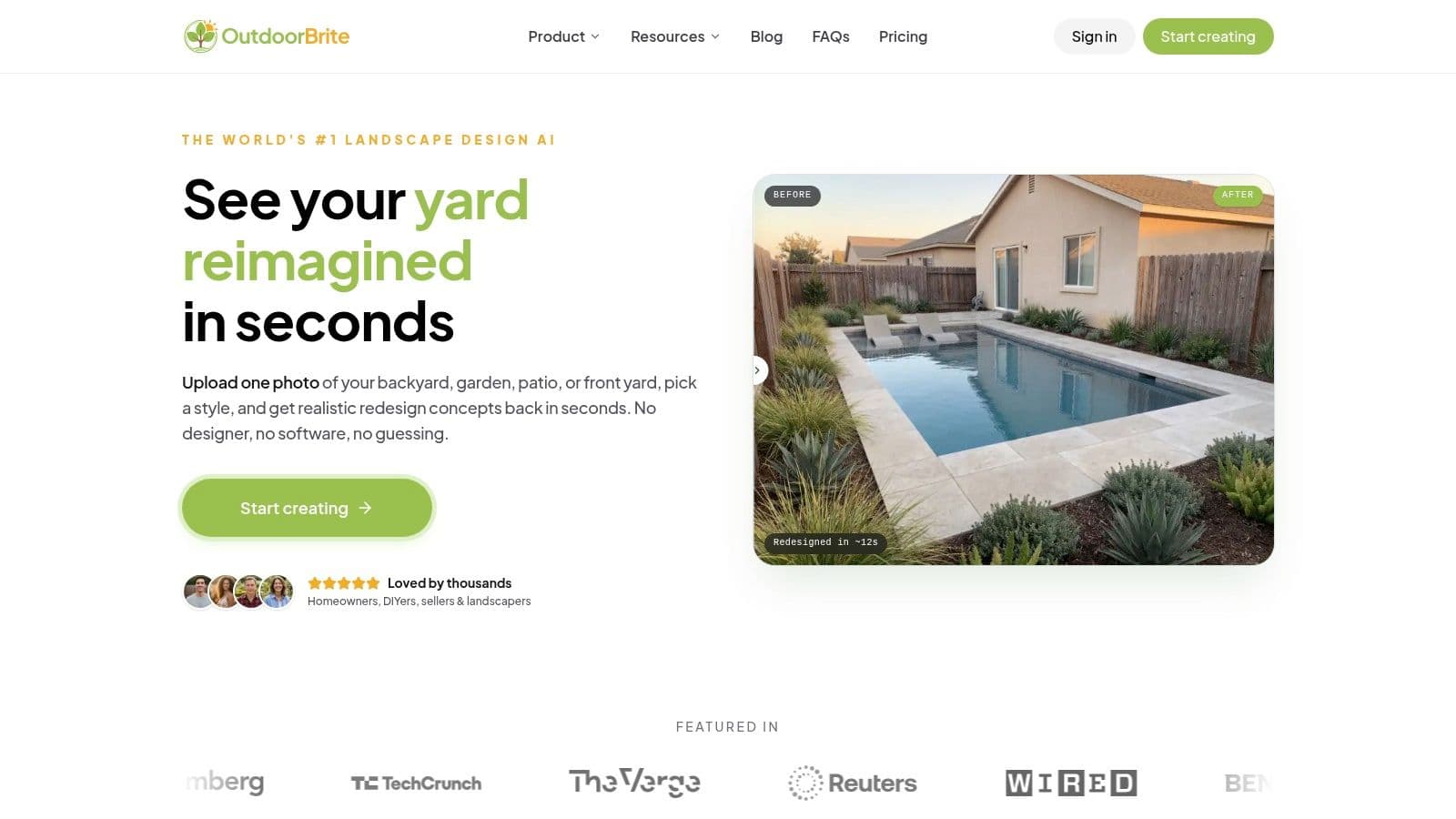
You have a backyard that feels unfinished, three ideas in your head, and no interest in learning a drafting program first. That is the kind of project OutdoorBrite Money handles well.
It is the app I would send to a homeowner who wants fast visual direction on a real photo of their space. Upload an image of the yard, patio, or front entry, pick a style, and the app returns polished concept options quickly. That speed matters early on, especially when the real question is not exact dimensions but which direction is worth pricing.
Why it stands out
OutdoorBrite is strongest as an idea-filtering tool. It lets users compare different looks on the same property without rebuilding the whole design from scratch each time. That is useful when the debate is practical. More paving or more planting. Cleaner lines or a softer garden feel. Pergola, fire pit, or open seating area.
The style library is broad, and the photo-based results are convincing enough to use for early decision-making with family members, clients, or contractors. I would not treat those visuals as final build instructions, but I would absolutely use them to avoid spending money on the wrong concept.
Practical rule: Use OutdoorBrite to choose a direction and get buy-in. Use measured plans later if the project moves into construction.
If you want to design your backyard online free, it also helps to compare this kind of AI photo workflow with more manual planning tools before you commit.
What works best in real projects
OutdoorBrite earns its place in this guide because it saves time for a specific type of user. Someone who wants realistic previews fast. That makes it one of the better AI-first picks here, especially for homeowners, DIY renovators, and pros creating quick concept boards.
I have found tools like this most helpful in the early and middle stages of a project. Test curb appeal changes. Swap out planting density. Try pool, patio, or fire pit positions. See whether a formal layout looks better than a looser garden style on the actual site photo.
There is a trade-off. OutdoorBrite is for concept development, not technical detailing. You still need measurements, material decisions, drainage checks, and a real build plan before work starts.
- Best for: Homeowners and pros who want the fastest path to realistic concept images
- Biggest strength: Photo-first AI workflow with very little setup or training
- Main limitation: Best for visual direction, not permit drawings or detailed construction documents
2. iScape
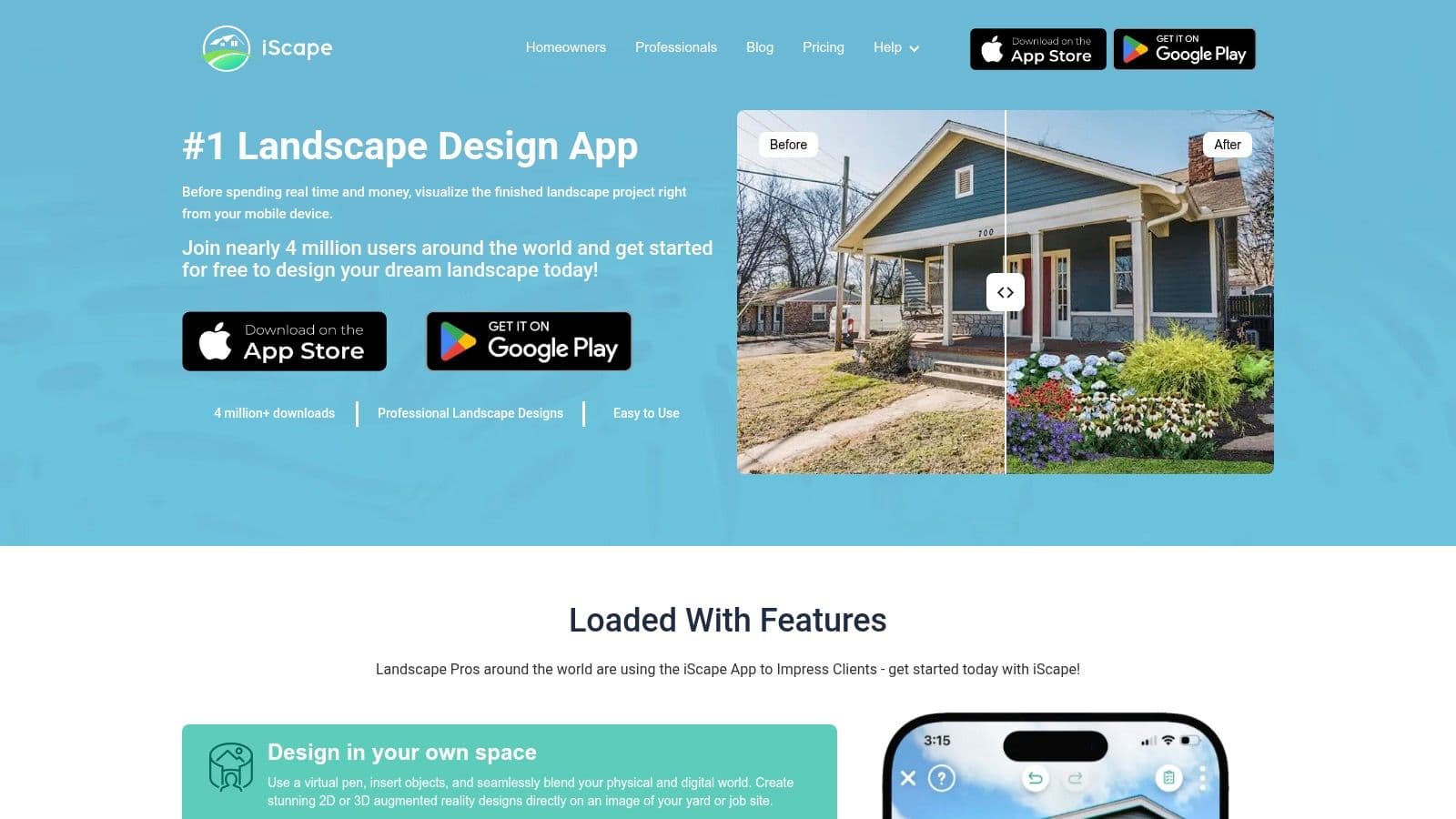
Standing in the yard with a client, phone in hand, is exactly where iScape makes sense. It is built for quick visual decisions. Take a site photo, drop in planting beds, trees, shrubs, or hardscape elements, and get immediate feedback without going back to a desktop plan.
That speed is the reason iScape still matters. It has been around for years, and that staying power counts in an app category where plenty of tools disappear after a short run. For homeowners, contractors, and designers who want a mobile-first way to test ideas, iScape remains one of the more practical options.
Where iScape fits best
iScape is strongest when the job is early-stage concept work. It helps people see scale, placement, and overall style on the actual property photo, which is often enough to settle basic questions faster than a hand sketch. I have found that especially useful for front yard updates, patio add-ons, and planting refreshes where the main goal is agreement on direction.
The trade-off is precision. I would not rely on it for grading plans, exact material takeoffs, irrigation layout, or custom-built details that need measured drawings. Use it to choose a direction. Use other tools later if the project moves into detailed planning or construction documentation.
It also helps that the learning curve is light. Someone who would never open pro design software can usually start testing ideas in iScape within minutes. That makes it one of the better picks in this guide for mobile use, especially if your priority is speed over drafting depth.
- Best for: Homeowners and pros who want fast mobile garden and yard concepting
- Works well for: On-site client conversations, before-and-after previews, and quick photo-based idea testing
- Watch out for: iOS gets the strongest experience, and the app is better for visual planning than technical drawings
You can find it at iScape.
3. Home Design 3D
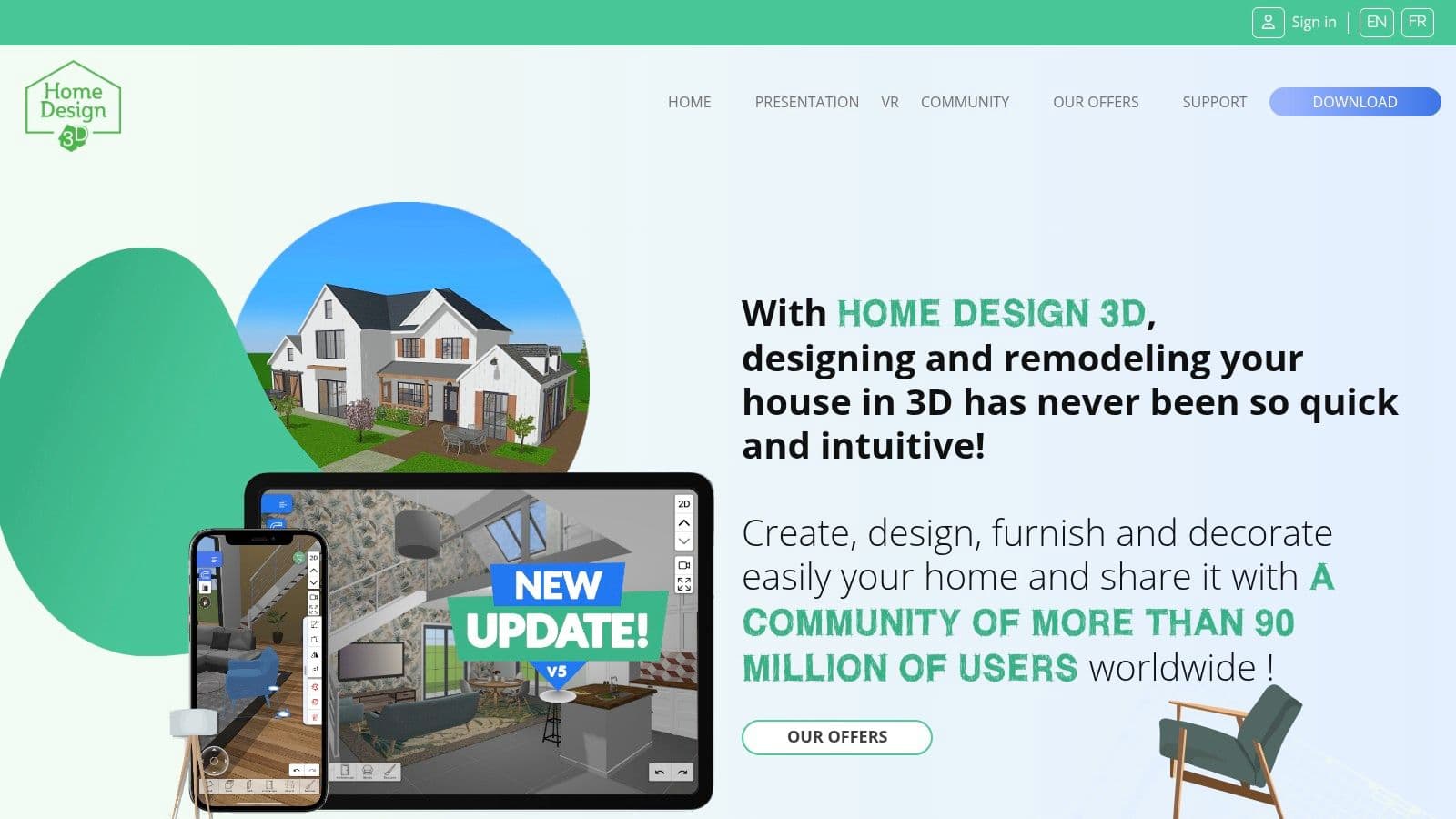
Home Design 3D makes sense when your yard project isn't really just a yard project. Maybe you're redesigning the patio and also rethinking the deck connection, storage shed placement, furniture layout, and traffic flow from the back door. This tool handles that whole-property thinking better than plant-only apps.
It lets you draft in 2D and review in 3D, which is useful for people who need a basic plan view before they care about visual polish. I like this kind of app for roughing out zones. Dining area here, planting strip there, pathway connecting the side gate to the compost area.
Best use case
This isn't the best garden design app for detailed plant selection or nursery-specific landscaping workflows. It doesn't go deep on horticulture. But it is very usable for general outdoor planning, especially if your project overlaps with home layout decisions.
The biggest advantage is accessibility. Many beginners find it less intimidating than pro garden design software, and the cross-platform support helps if you bounce between devices.
- Best for: Whole-property sketches that mix exterior layout and home-adjacent planning
- Strong point: Simple transition from 2D drafting to 3D visualization
- Weak point: Less landscaping-specific depth than dedicated garden software
In the broader market, 68% of homeowners now use digital tools to plan outdoor upgrades, according to the verified data on the category's growth. Home Design 3D fits that mainstream planning behavior well because it keeps the barrier to entry low without forcing you into a pro workflow.
Use Home Design 3D if you want a generalist app that can handle patios, furniture, structures, and garden zones in one place.
4. Planner 5D
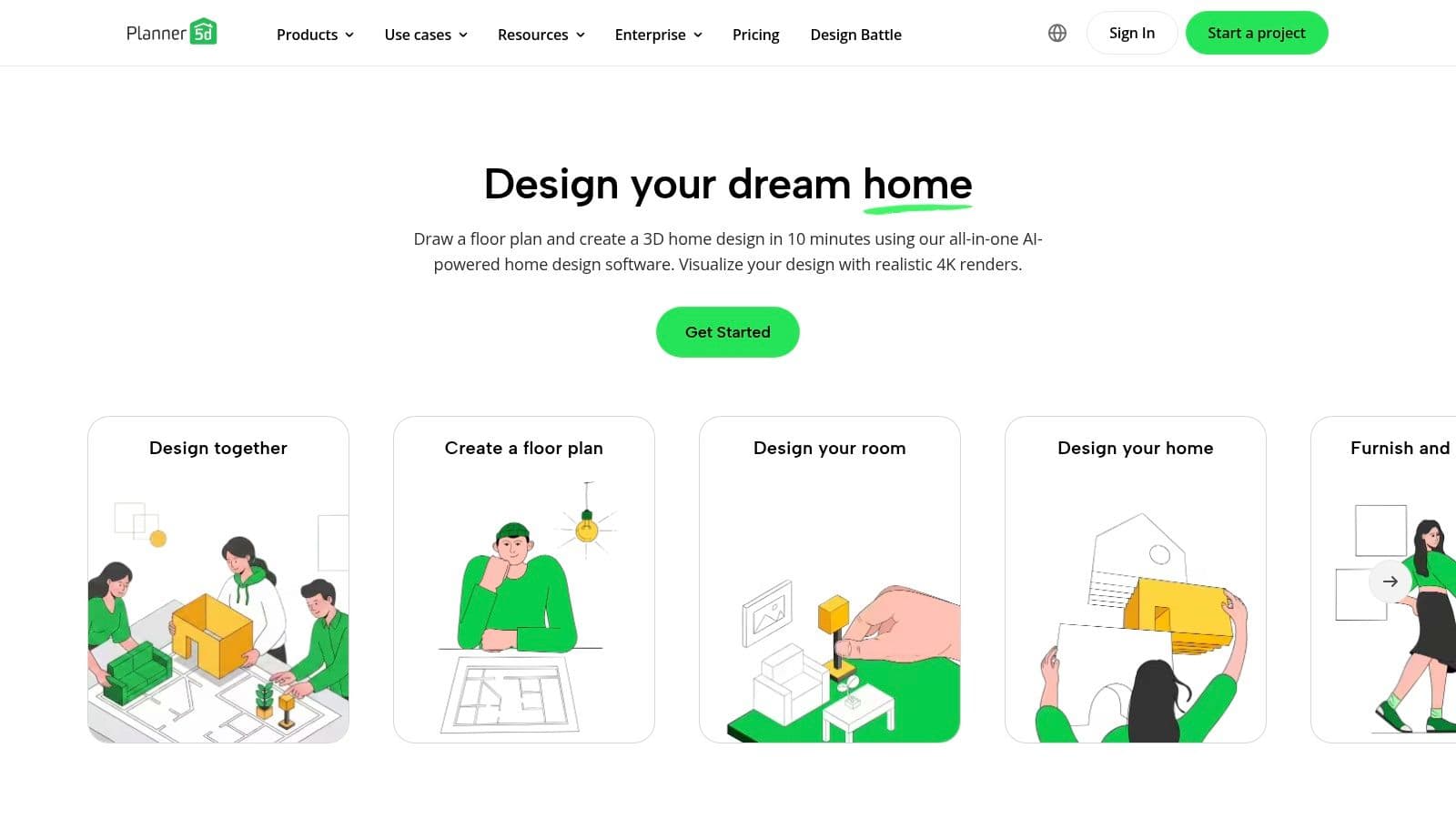
A common job goes like this. You need to test a patio layout, check sightlines from the back door, and see whether a seating area will feel cramped once planters and paths are in place. Planner 5D handles that kind of space planning better than plant-first apps.
Its strength is presentation. You can build a yard concept with enough structure to make decisions, then switch into a cleaner 3D view for walkthroughs and client-friendly visuals. For homeowners, that usually means fewer rough sketches and less guesswork. For DIY users, it means you can sort out layout problems before buying materials.
Planner 5D also makes sense when the garden project is tied to the house. I'd use it for cases where the deck, outdoor dining area, doors, windows, and furniture placement all affect how the exterior space should work. That is a different use case from apps built mainly for bed planning or vegetable rows.
Best use case
This is one of the better picks for readers who want the right app for a specific job, not just the longest feature list. Planner 5D fits the middle ground. It is more polished than a quick mobile mockup, but it does not ask you to work like a design studio using contractor-grade software.
The trade-off is clear. You get a large object library, solid visualization, and an easy learning curve across devices. You do not get the planting depth, horticultural detail, or technical site planning that specialized garden tools and pro design platforms offer.
Field note: I'd choose Planner 5D for layout testing and presentation. I would not choose it for detailed planting plans or irrigation-heavy projects.
- Best for: Homeowners and beginners who want polished 3D yard concepts without pro-level complexity
- Strong point: Easy room-to-yard planning with attractive walkthroughs and a large object catalog
- Weak point: Weaker plant detail and less technical depth than dedicated garden design software
You can explore it at Planner 5D.
5. Garden Planner (Artifact Interactive)
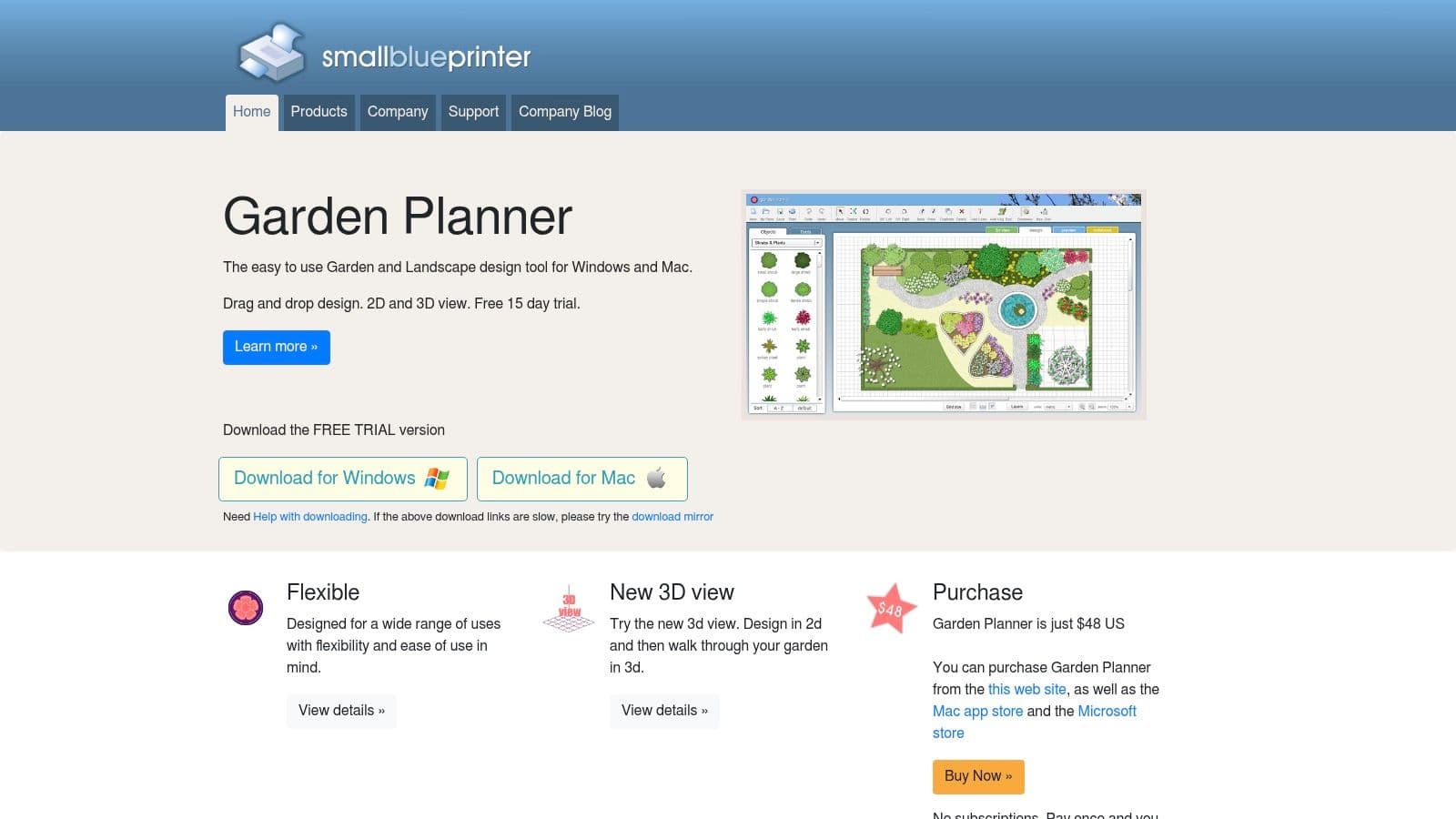
Garden Planner from Artifact Interactive has a different personality from the more visual, AI-heavy tools on this list. It's simpler, flatter, and more diagram-focused. That's exactly why plenty of gardeners still like it.
If your main job is laying out beds, borders, paths, and planting areas clearly, this style of software is often more practical than a glossy renderer. You can drag elements into place, produce straightforward plans, and keep the focus on what goes where.
Why gardeners still like it
This is one of the better choices for people who shop from lists. The printable outputs and plant or object lists are very useful if you're planning a weekend install or taking notes to a nursery. It's less about impressing someone with a cinematic walkthrough and more about organizing a real project.
The one-time license is another reason it appeals to hands-on gardeners who don't want another subscription. The trade-off is visual realism. The 3D view is serviceable, not dramatic.
- Best for: Garden-first planning with beds, borders, and practical shopping outputs
- Strong point: Easy diagrams and lists for actual implementation
- Weak point: Less realism than modern render-heavy apps
This category is growing partly because people want fewer mistakes before they buy materials. Verified data notes that over 85% of users report these tools helped them avoid costly renovation mistakes. Garden Planner supports that goal through clarity rather than spectacle.
The website is Garden Planner by Artifact Interactive.
6. GrowVeg Garden Planner
GrowVeg is the specialist pick here. If your “garden design” really means raised beds, crop rotation, succession planting, and getting better use from a kitchen garden, this is the app that makes more sense than any patio-first visualizer.
That distinction matters. A lot of garden apps are strong on appearance and weak on growing logic. GrowVeg flips that. It focuses on spacing, planting schedules, edible varieties, and practical decisions that affect harvests, not just looks.
Best for edible beds
GrowVeg works well because it stays in its lane. It helps plan vegetable and herb gardens with drag-and-drop beds, rotation guidance, companion planting support, and location-aware calendars. For food gardeners, those features are worth more than glossy 3D rendering.
There's also a real gap in the market around cost and buildability. Verified data notes that 68% of DIY outdoor renovation projects fail due to underestimated material costs in a 2025 NAHB study, yet only 12% of top-ranked garden design apps provide cost-estimation features. GrowVeg isn't a hardscape budgeting tool either, but it does help reduce waste in the edible-garden side of planning because spacing and scheduling are more grounded.
Use GrowVeg when the success metric is harvest quality and planting timing, not curb appeal.
- Best for: Vegetable gardens, herb beds, and raised-bed planners
- Strong point: Deep edible-garden guidance with practical reminders
- Weak point: Limited architectural and hardscape visualization
If you're designing for food production first, GrowVeg Garden Planner is one of the easiest recommendations on this list.
7. GARDENA myGarden + Sprinkler Planner
GARDENA myGarden is not the best garden design app for full design work. It is, however, a very handy irrigation pre-planning tool. That narrower purpose is what makes it useful.
A lot of homeowners leave watering decisions until late in the project. Then they realize beds, lawn edges, and planting zones don't match the irrigation plan at all. GARDENA helps avoid that by giving you a simple online planner and automatic sprinkler layout support.
Where it helps most
The appeal is speed and simplicity. You can sketch the yard, map the lawn and planting zones, and generate sprinkler placements and parts guidance inside the GARDENA ecosystem. For a DIY watering setup, that's a lot more actionable than a general design app.
Its limitation is obvious. This isn't a broad outdoor design platform. If you need beautiful renders, custom hardscape planning, or a polished client presentation, this won't be enough.
- Best for: DIY irrigation planning
- Strong point: Free, browser-based, and focused on sprinkler layout
- Weak point: Narrow ecosystem and limited wider design capability
I'd use GARDENA myGarden + Sprinkler Planner after the layout direction is mostly decided, not before. It works best as a support tool rather than the center of the whole project.
8. Realtime Landscaping Pro (Idea Spectrum)
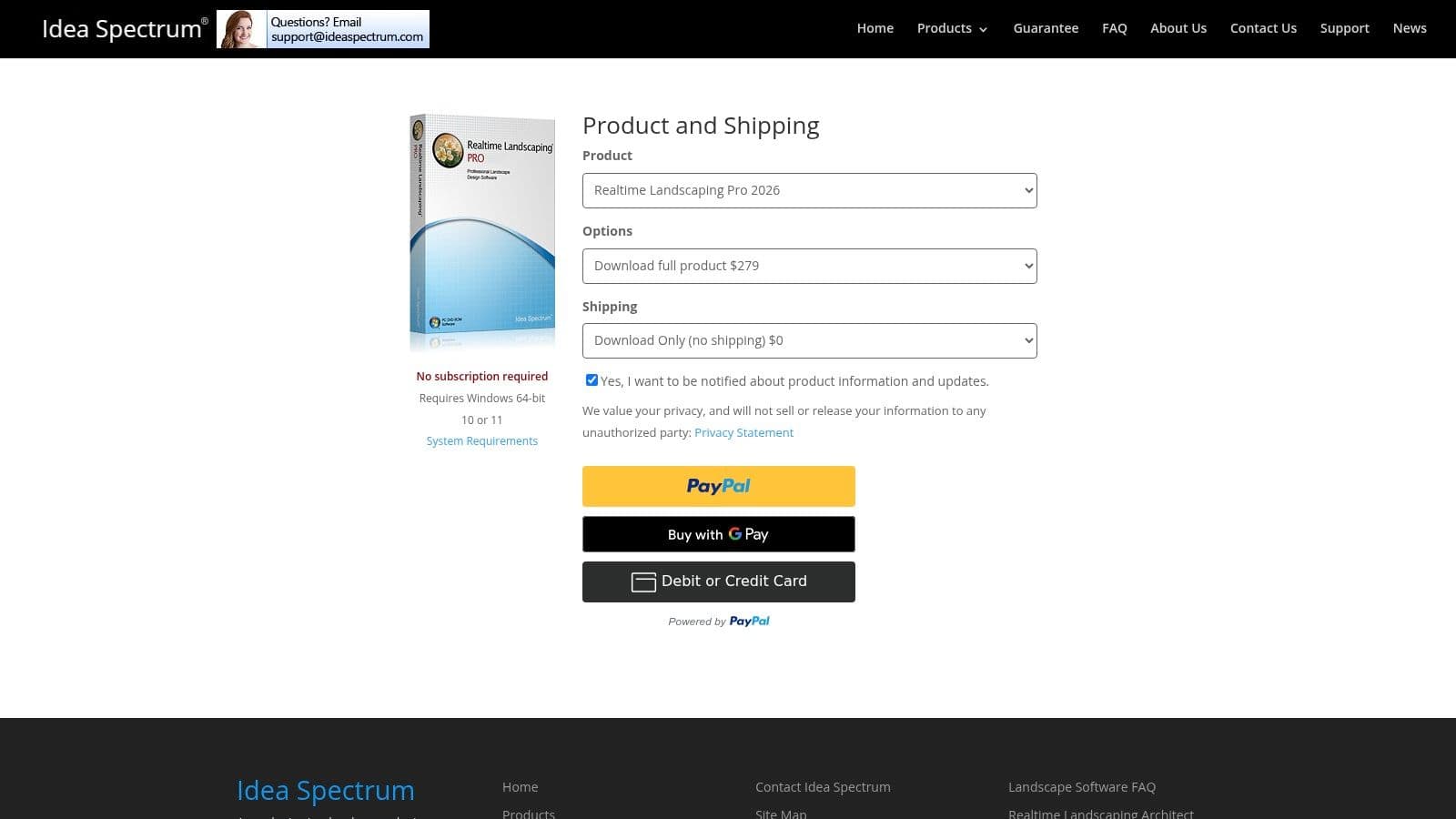
You've outgrown drag-and-drop garden apps once the project includes grading, a pond, steps, lighting, and a patio that all need to work together. Realtime Landscaping Pro fits that stage well. It gives serious DIY users and smaller design firms a Windows-based tool with real-time 3D views, terrain editing, water features, and a large object library.
What sets it apart is control. This is one of the better options for testing slopes, bed depth, retaining walls, and outdoor living layouts without jumping straight into heavier drafting software. The visuals are strong enough to help clients or family members understand the plan, but the tool still feels build-oriented rather than presentation-first.
Best for serious DIY builds and small design studios
I like this software for projects that have real layout complexity. If a homeowner is comparing two patio sizes, checking sightlines from the house, and figuring out how a raised planting area affects circulation, Realtime Landscaping Pro handles that better than simpler mobile apps. It also suits users who prefer owning software outright instead of paying every month.
The trade-off is easy to spot. It is Windows-only, it has a desktop-software learning curve, and it does not replace full construction documentation for higher-end professional work. If speed and idea generation matter more than technical control, a tool focused on ai for garden design will feel faster in the early concept stage.
- Best for: Serious DIY users and small design businesses that want more control on Windows
- Strong point: Detailed 3D planning tools with a one-time purchase option
- Weak point: Desktop-only workflow and limited use for formal plan sets
Realtime Landscaping Pro sits in a useful middle tier. It offers far more planning depth than beginner apps, without pushing homeowners into software built mainly for large professional firms.
The product site is Realtime Landscaping Pro by Idea Spectrum.
9. VizTerra (Structure Studios)

VizTerra is aimed squarely at professionals who sell design through presentation quality. If you're a garden contractor, pool builder, or outdoor living designer who needs polished visuals to win work, this platform makes sense fast.
The workflow is geared toward 3D modeling, materials, libraries, calculations, and client-facing output. It's less about casual experimentation and more about building a sales-ready concept efficiently.
Best for presentation-driven pros
The biggest advantage here is polish. VizTerra helps designers present a project in a way clients can understand quickly. That matters because clients often approve the concept they can picture, not the one that's technically explained best.
There is a cost to that capability. It's a subscription product, it's Windows-only, and it's overkill if your project is a simple patio refresh or planting cleanup. For basic homeowner work, it's too much tool.
Better visuals shorten client hesitation. That's where VizTerra earns its cost.
Verified data notes that 80% of professionals prefer tools offering high-resolution downloads and beginner-friendly workflows in this sector. VizTerra's appeal to pros comes from delivering polished output while still supporting a practical production workflow.
Visit VizTerra by Structure Studios if your priority is client presentations and an upgrade path into deeper pro tooling.
10. SketchUp
SketchUp is the most flexible tool on this list, and also one of the easiest to misuse. It can absolutely work for garden design. It can also eat a lot of time if you expect it to behave like a dedicated garden planning app out of the box.
For custom outdoor elements, though, it's excellent. Pergolas, outdoor kitchens, retaining walls, stairs, fencing details, built-in seating, and unusual site geometry are all areas where SketchUp shines. If the project is bespoke, SketchUp starts looking smarter.
When SketchUp is the right call
This is the best choice when you need freedom more than convenience. The 3D Warehouse, extensions, and broad tutorial ecosystem are major advantages. Verified data also notes that SketchUp Free is among the tools users adopt for large 3D object and texture libraries, which matches its real-world appeal.
The trade-off is garden design specificity. Plant libraries, horticultural logic, and quick photo-first visualization usually require add-ons or extra workflow steps. If your goal is instant ai for garden design, there are faster options. If your goal is custom modeling accuracy, SketchUp is still hard to beat.
- Best for: Custom outdoor structures and detailed bespoke concepts
- Strong point: Deep flexibility and massive ecosystem
- Weak point: Learning curve and weaker native garden specialization
There's also a broader caution worth noting. A 2026 report by the American Horticultural Society in the verified data highlights that 74% of users abandon design apps because recommended plants fail in their local climate. SketchUp avoids some of that false confidence as it's a modeler, not a plant-advice engine. But it also means plant suitability is still your job.
The platform is SketchUp.
Top 10 Garden Design Apps: Feature Comparison
| Tool | Core features ✨ | UX & Quality ★ | Price & Value 💰 | Best for 👥 |
|---|---|---|---|---|
| 🏆 OutdoorBrite Money | Photo-first AI redesigns; 80+ styles; virtual staging; env controls; intelligent auto-fill | ★★★★☆ (4.8/5), photoreal, ultra-fast (<30s), high-res | 💰 Subscription (Starter → Pro/Business); cost-effective vs designers | 👥 Homeowners, DIYers, landscape pros |
| iScape | Mobile + AR visualization; plant & hardscape catalog; proposal tools | ★★★★, phone/tablet-first, easy AR (iOS best) | 💰 Freemium / Pro upgrades | 👥 Mobile users, landscapers doing quick concepts |
| Home Design 3D | 2D drafting → 3D walkthroughs; cross‑platform projects | ★★★★, intuitive, strong beginner community | 💰 Paid apps / cross‑platform pricing | 👥 Whole‑home DIYers & planners |
| Planner 5D | AI plan recognition, 3D walkthroughs, 4K renders | ★★★★, accessible, multi‑device | 💰 Freemium with subscription for advanced renders | 👥 Beginners wanting 3D concepts |
| Garden Planner (Artifact Interactive) | Drag‑drop planting, plant lists, printable shopping lists | ★★★, garden‑first, simple 3D | 💰 One‑time license | 👥 Gardeners focused on planting layouts |
| GrowVeg Garden Planner | Bed planning with spacing, rotation, planting calendars | ★★★★, deep edible‑garden guidance | 💰 Subscription (climate‑aware features) | 👥 Vegetable & kitchen gardeners |
| GARDENA myGarden + Sprinkler Planner | Simple garden editor; automatic sprinkler layouts & parts lists | ★★★, quick, functional for irrigation | 💰 Free | 👥 DIY irrigation planners & GARDENA users |
| Realtime Landscaping Pro | Real‑time 3D, terrain, ponds, lighting, large libraries | ★★★★, powerful visuals, Windows only | 💰 One‑time purchase | 👥 Serious DIYers & independent pros |
| VizTerra (Structure Studios) | Fast 3D landscape/hardscape modeling; pro libraries; AR add‑on | ★★★★★, polished professional workflow | 💰 Subscription (pro market) | 👥 Landscape contractors & design firms |
| SketchUp | Flexible 3D modeling; huge asset/extension ecosystem | ★★★★★, highly extensible, steep learning for precision | 💰 Freemium → Paid Pro/Studio tiers | 👥 Custom modelers, designers & pros |
Start Designing Your Perfect Garden Today
Saturday morning, coffee in hand, and the yard still feels like a problem instead of a plan. That is usually the point where the right app matters. Not because software magically solves design work, but because the wrong tool wastes hours on features you do not need yet.
The best choice depends on your next decision. Need fast visual ideas for an actual photo of your space? Start with the quickest concept tool. Need planting logic for raised beds and crop rotation? Use a planner built for edible gardens. Need presentation-grade 3D models for client approval or a detailed custom build? Step up to pro software. That is the primary value of this guide. It sorts apps by best use case so you can match the tool to the job instead of guessing from feature lists.
OutdoorBrite Money is the fastest starting point for homeowners who want to see believable garden and patio ideas on their own property without learning a full design program. iScape makes more sense for mobile users who like testing ideas on-site. Home Design 3D and Planner 5D are better fits when the house and yard need to be planned together, especially for remodel projects where flow matters as much as planting.
Specialist tools earn their keep.
GrowVeg is the better pick for vegetable gardeners because spacing, succession, and seasonal planning matter more than glossy visuals. Garden Planner keeps things simple for planting layouts and shopping lists. GARDENA myGarden is practical if irrigation is the sticking point. Realtime Landscaping Pro and VizTerra justify their cost when presentation quality affects sales or client confidence. SketchUp remains the choice for people who need full modeling freedom and are willing to trade speed for control.
I have seen plenty of DIY projects stall because the app was too advanced for the decision at hand. I have also seen people outgrow a simple visualizer in a weekend once grading, structures, lighting, or construction details entered the picture. Good software saves time only when its level matches the project stage.
One caution matters here. A strong rendering is not a build plan. You still need accurate measurements, drainage judgment, utility checks, climate-appropriate plant choices, and a realistic materials budget. Garden apps help you test ideas, compare directions, and avoid obvious mistakes early. They do not remove site work or practical decision-making.
If you are curious how AI is reshaping adjacent design tools, this 2026 AI furniture design forecast offers a useful comparison. The same pattern is showing up in outdoor design. Faster concept generation helps people reach a direction sooner, but the final result still depends on good judgment.
Choose the app that fits the task in front of you. For quick visual confidence, start with the fastest photo-based option. For planting plans, use the garden-specific tool. For custom structures or client presentations, accept the steeper learning curve and use pro software. That approach gets you to a workable design faster, with fewer false starts.
If you want the fastest path from “I have no idea what to do with this yard” to a realistic design direction, OutdoorBrite Money is the one to try first. Upload a photo, choose from 80+ styles, and get photorealistic garden, patio, or backyard redesigns in under 30 seconds, with high-resolution downloads and a workflow that doesn't require any design software experience.
See your yard reimagined
Start creating