Flower Bed Planning Tool Comparison: 10 Options for 2026
Compare 10 flower bed planning tools, from free browser planners to pro design software. See key features, limits, and best-use cases before you choose.
You've got a bare strip by the fence, a front border that thins out every July, and a folder of catalog photos that all look good until you try to fit them into your own soil and light. Spring's coming, the budget won't stretch to a second round of plants, and guessing is how you end up with three-gallon shrubs crowding out perennials by year two. The right flower bed planning tool won't make those decisions for you, but it'll show you the mistake before you pay for it.
This list sorts ten tools by the question each one answers best, not by popularity. Some show a bed on a photo of your yard, some check shade or mature spacing, and some keep bloom coming past June. Each entry also says what the tool can't do, because that's where projects go wrong. If you're working on the front of the house, Homes By Carmen's curb appeal guide is a useful companion for thinking about how a new bed reads from the street.
Demand for that kind of test run isn't hard to explain. The 2024 National Gardening Survey reported that 81% of U.S. households participated in some form of gardening during 2023, and spending specifically on flower gardening rose from $3.4 billion in 2022 to $5.3 billion in 2023. That's a lot of money going into beds that looked right at the nursery. A planner is cheap insurance against buying twice.
Table of Contents
- 1. AI Garden Planner
- 2. BloomsEye Studio
- 3. Seasonry
- 4. Small Blue Printer Garden Planner
- 5. GardenCAD
- 6. Sow
- 7. iScape
- 8. GARDENA myGarden
- 9. Old Farmer's Almanac Garden Planner
- 10. PRO Landscape+
- How the 10 flower bed planning tools compare on photo use and pricing
- Match the Tool to the Question You Need Answered
1. AI Garden Planner
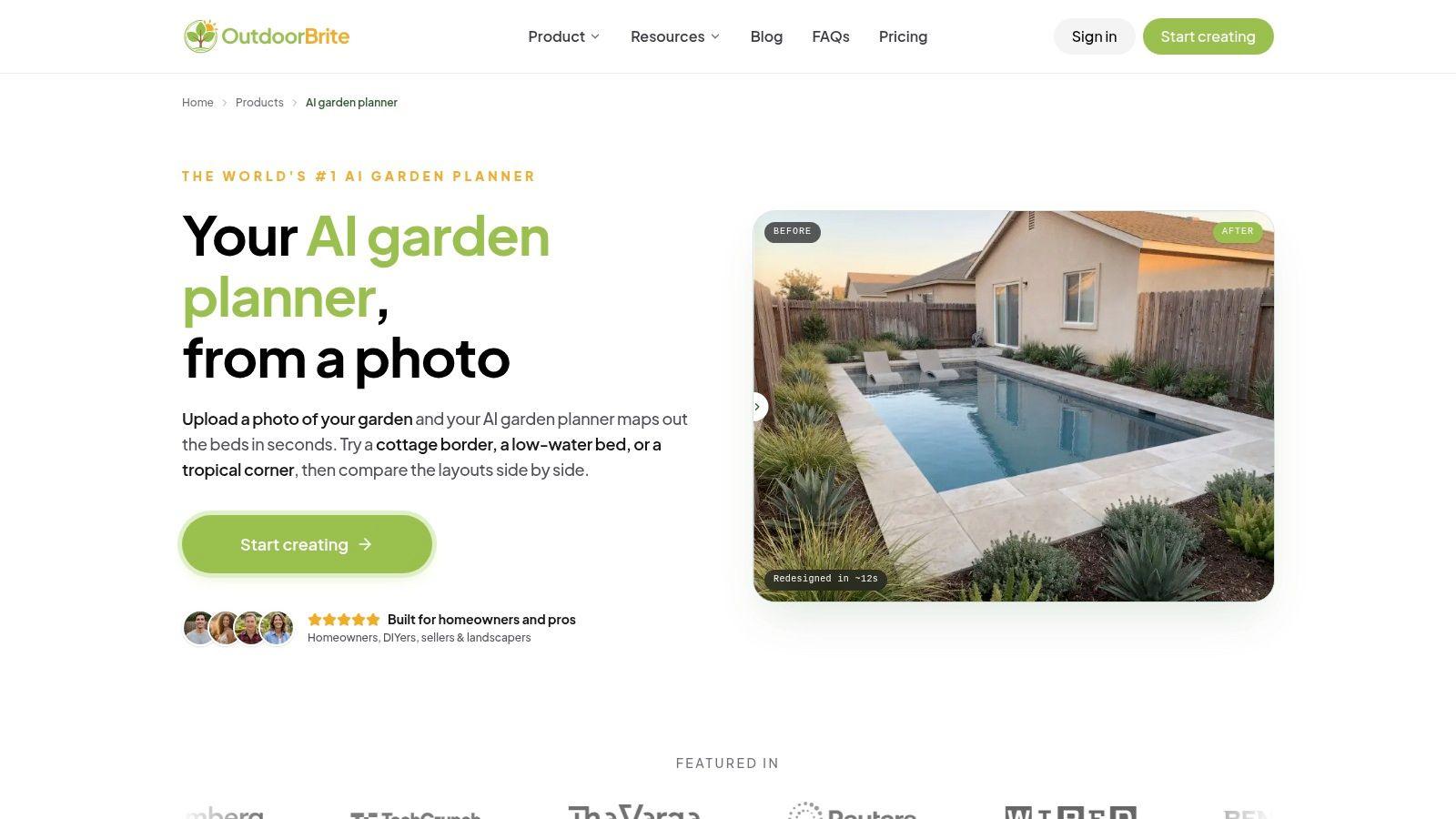
The question this one answers is the simplest and the hardest to fake. What will this planting look like in my bed, against my fence, next to my brick? The AI Garden Planner from OutdoorBrite takes a photo of your existing bed or border, lets you pick a style, and returns the space replanted in that style, with the bed shape and arrangement visible in context rather than as a flat diagram.
That matters because most planting mistakes are visual first. You see heights against the house, whether a cottage mix swamps a narrow border, and whether a modern scheme looks too sparse for the space. You can compare styles side by side on the same photo, which is far more useful than comparing two nursery tags. The Plus plan adds plants picked for your region, a plant list for every design, and the ability to change plants, paving and layout, so the picture turns into something you can take to a nursery.
Where It Earns Its Keep
- Your own bed, not a stock yard: The layout is applied to a photo of your actual border, so proportions and backdrop are real.
- Style-led concepts: From cottage to xeriscape, the chosen style drives both bed shape and plant selection together.
- No design software to learn: The workflow is upload, choose, compare, which suits homeowners who won't open a CAD tool.
What it can't do is certify that a plant will thrive for you. It's a design tool, not a nursery, and final choices still need checking against your climate zone, soil, and the light that bed gets at 3 p.m. Results also depend on a clear, straight-on photo. A shadowed, angled shot gives you a vague answer. If you want to see how the wider tool handles whole spaces, the ai garden design generator covers that ground. I recommend starting here when the decision is about look and fit, then verifying spacing elsewhere if your bed is tight.
2. BloomsEye Studio
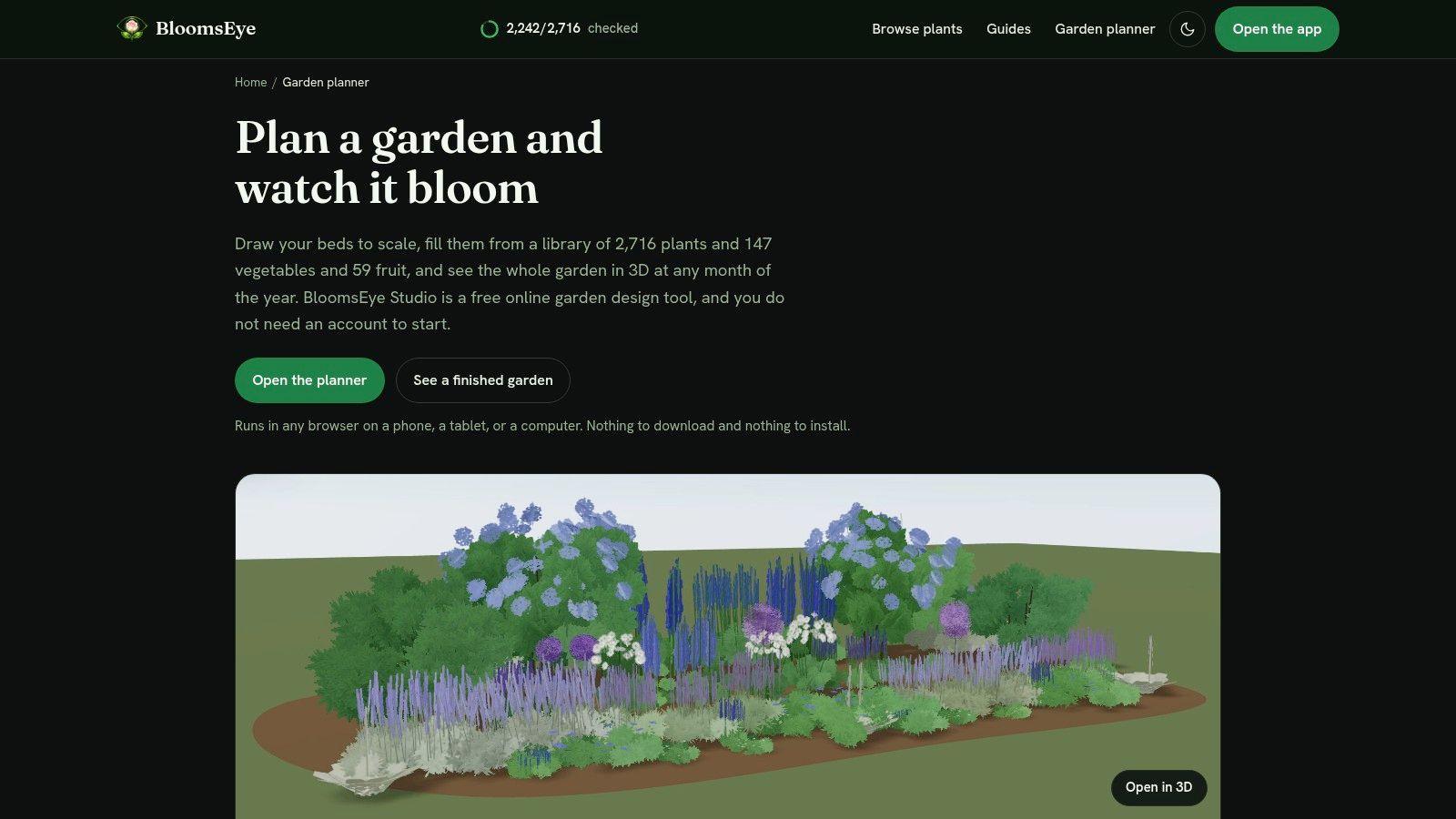
BloomsEye Studio answers a narrower question. Which ornamental plants belong together in this bed, given color, bloom month, sun, and hardiness zone? It's a browser-based flower bed planning tool built around a plant catalog with those filters front and center, and you draw beds and place plants into a plan rather than overlaying them on a photo.
That filter-first approach is its strength. Instead of falling for a flower in a picture and discovering later that it blooms for two weeks in May and hates your zone, you narrow the catalog before you place anything. Planning around bloom timing at the selection stage is how you avoid a bed that's glorious in June and bare by August.
Trade-Offs to Know
- Planting focus over landscaping: It's more concerned with what's in the bed than with patios, walls, or wider site work.
- Free to start: You can test it on one small bed before paying, which is the sensible way to judge any planner.
- Paid tiers for more: Larger projects and higher-quality exports sit behind paid plans.
What it can't do is replace local knowledge. A filter for hardiness zone won't tell you that your clay holds water all winter or that a south wall cooks everything planted against it. It also isn't the tool for detailed hardscape construction planning. Use it to build a defensible plant list and layout, then sanity-check that list against your actual site conditions before ordering.
3. Seasonry
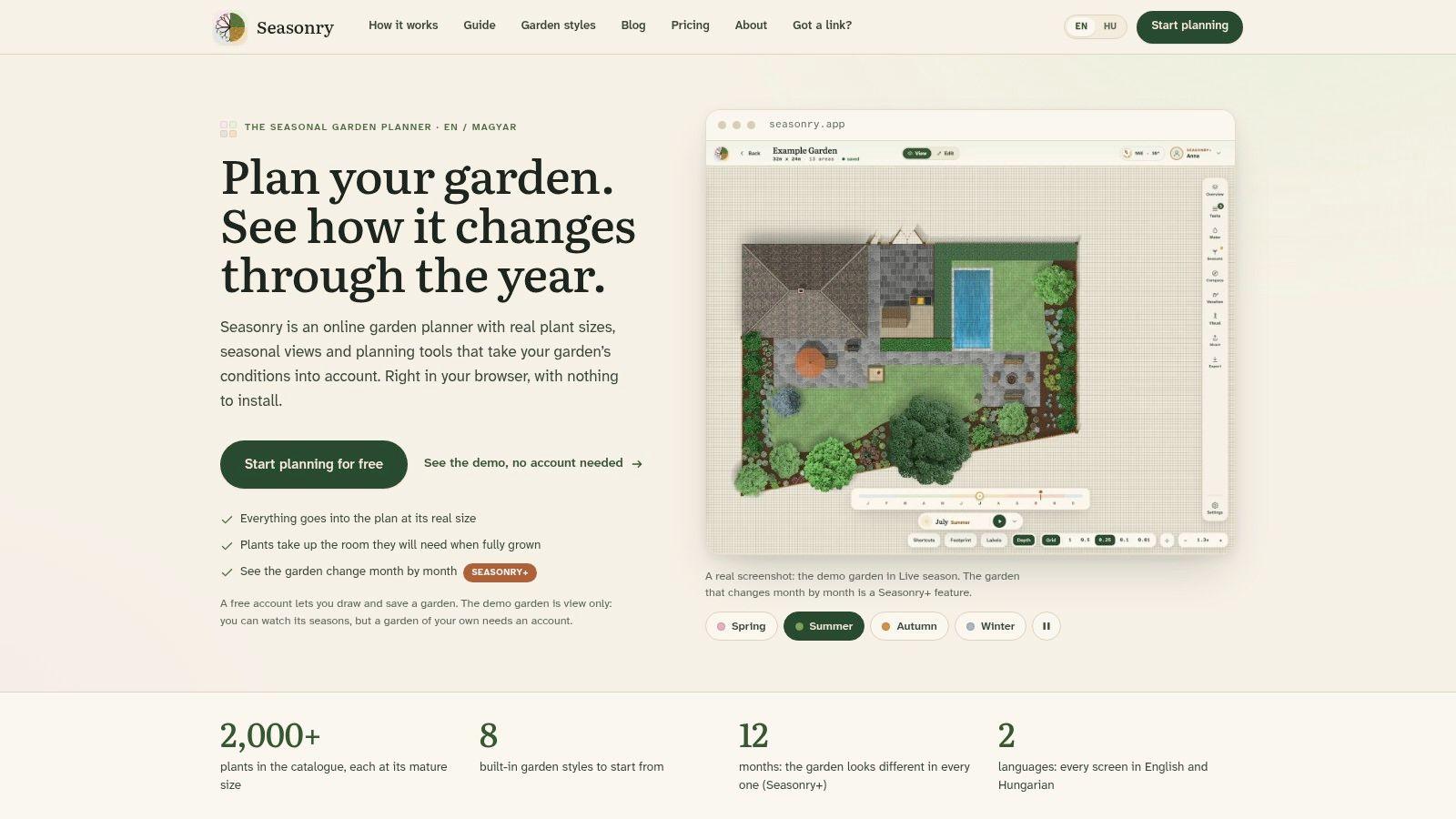
Say your beds always look crowded by the second summer. Seasonry is built for that problem. It's a scaled, browser-based planner that places plants at their expected mature sizes, so the plan shows the bed as it'll be in three years, not as it looks in nursery pots on planting day.
The catalog holds more than 2,000 plants searchable by name and conditions, and the paid Seasonry+ tier adds seasonal views, a bloom calendar, sun-path tools, and care features. The bloom calendar is the piece most gardeners need. It shows your bed month by month, which makes gaps in flower coverage impossible to ignore while there's still time to fill them on paper.
Practical rule: If a plan only shows you peak summer, it hasn't shown you the bed. Check April and September before you buy anything.
What it can't do is work in your pocket. Editing isn't available on phones, so you can't adjust the plan standing in the yard. The plant data is described as most accurate for central European conditions, so U.S. users should cross-check suitability rather than trusting it blindly. The free plan includes the full catalog and core planning tools but limits you to one garden and 50 plants. For a single border, that's enough to learn whether mature-size planning changes your choices. It usually does.
4. Small Blue Printer Garden Planner
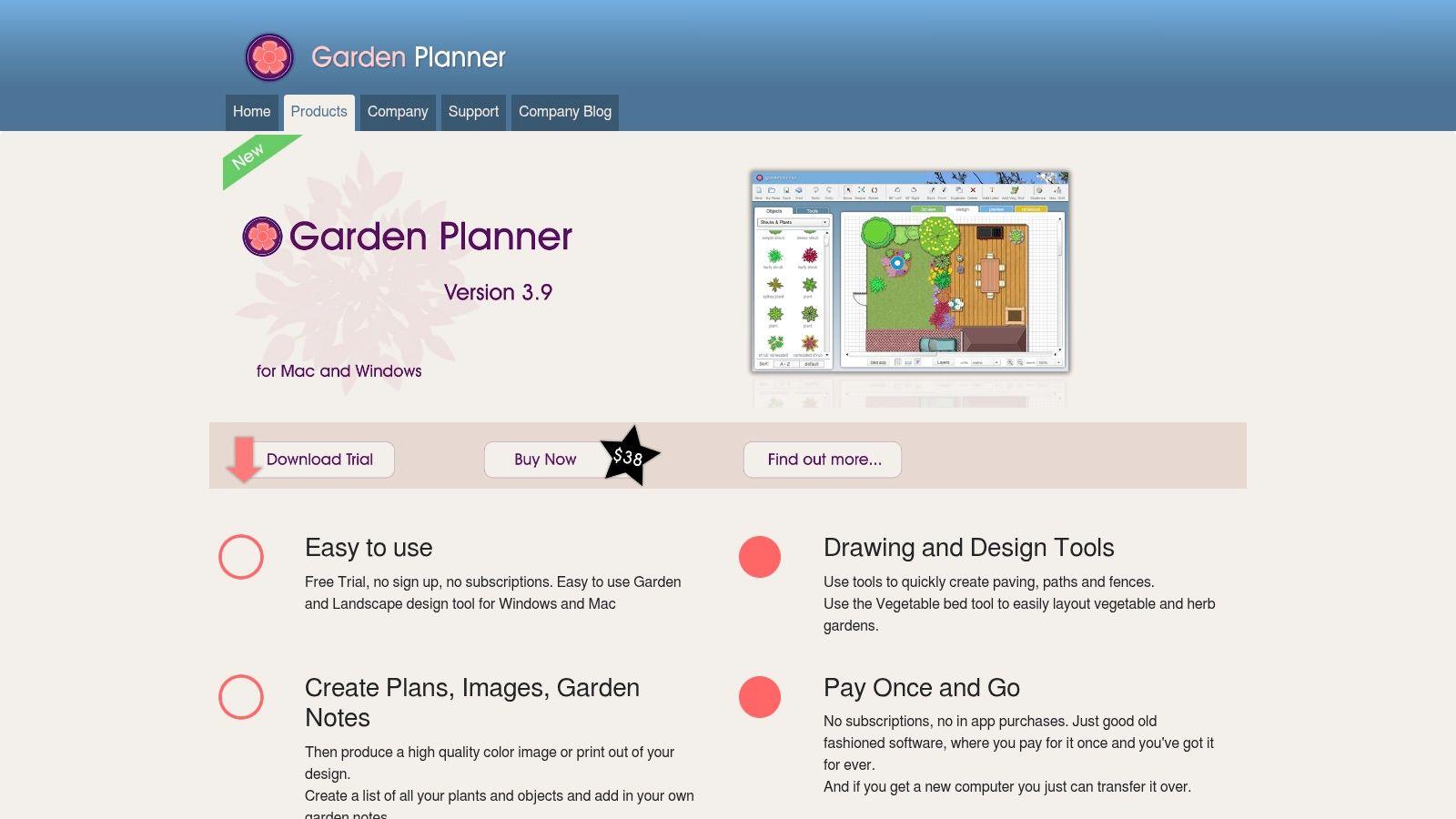
Not everyone wants another subscription. The Small Blue Printer Garden Planner is downloadable software for Windows and Mac that you buy once, and it answers the question of how a flower bed fits into a whole garden of paths, paving, fences, walls, and decking. You draw the features, then arrange plant and object symbols from a library of more than 1,700 items.
The output is what sells it. You can print a color plan, a plant list, and your garden notes together, which is very useful when you're shopping or standing outside with dirty hands and no interest in opening an app. There's a 3D view as well, helpful for checking whether a tall planting will block a window or a path sightline.
Who It Suits
- One-time buyers: No recurring subscription, so the tool is still yours in five years.
- Whole-garden planners: Beds sit alongside fences, paving, and structures in one drawing.
- Paper-first workers: Printed plans and lists travel to the nursery better than a phone screen.
What it can't do is tell you whether a plant suits your site. The symbols are placeholders, not growing advice, and a tidy drawing can still hold the wrong plants for your soil. It also requires downloading a program, so check the trial and your device requirements before purchasing. If you'd rather stay in the browser at no cost, our roundup of the best free garden design software covers the other route.
5. GardenCAD
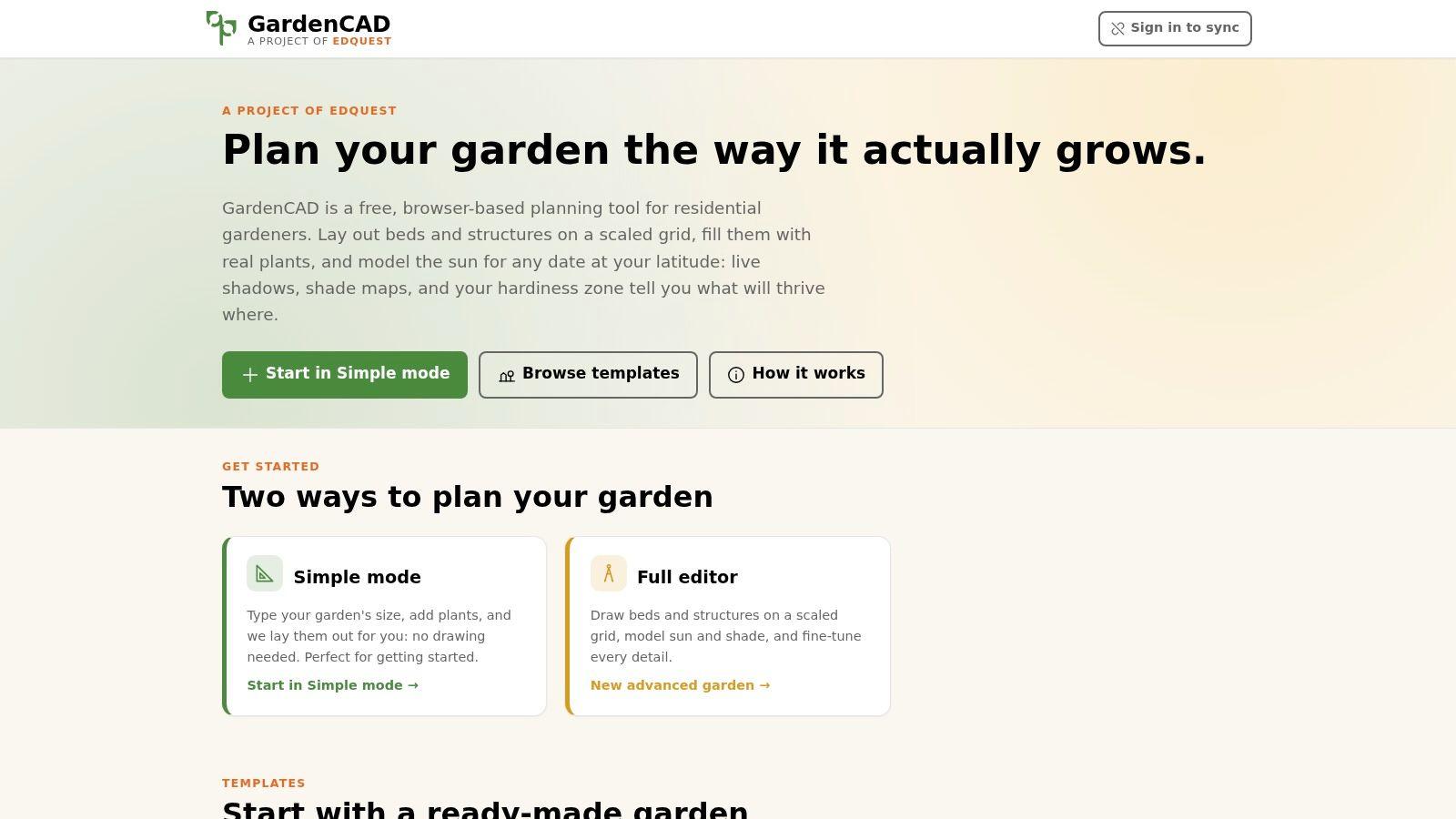
GardenCAD answers the question most gardeners guess at and get wrong. How much sun does this bed get, and when? It's a free, browser-based flower bed planning tool where you draw beds as polygons, rectangles, or circles on a scaled grid, mark the structures and tree canopies that cast shade, and model sun and shade for your location and a chosen date.
That last part changes plant decisions. A bed that's sunny in April can sit in a neighbor's tree shadow by July, and sun-loving perennials planted on spring optimism will sulk all summer. Modeling the shade for different dates lets you place plants for the light they'll live in, not the light you noticed once.
There's a simple setup flow if you want a quick answer, a detailed editor if you don't, and templates to start from. Flexible bed shapes matter too, since real borders curve and most basic grids don't.
What it can't do is show you a finished garden. There's no photorealistic view, so you won't judge color combinations here. Results also depend on you knowing your garden's dimensions and location reasonably accurately. Measure badly and the shade model lies politely. Plant depth may not match professional design software either. I recommend it as a first pass whenever a tree, fence, or building makes your light uncertain, then moving to a visual tool once you know what can grow there.
6. Sow
Sow takes the photo route with the lowest friction in this list. You upload a picture of your yard or garden, choose a garden look, and it suggests a planting plan with plants to consider. Adding your ZIP code gives you climate-aware suggestions, and the site describes the web tool as usable without an account.
That combination makes it a good first ten minutes. You see an idea in the context of your real space, and because a plant list comes with the free planning flow, the concept is more actionable than a purely decorative mockup. For someone staring at a blank bed with no starting point, a named list of plants matched roughly to climate is a genuine step forward.
What to Watch
- Concept, not a drawing: A photo-based plan won't give you exact spacing or plant counts you can order from.
- Climate-aware isn't site-aware: ZIP code matching won't know your soil drainage or that one corner stays shaded.
- Limited layout control: If you want to nudge every plant by hand, a measured planner serves you better.
What it can't do is finish the job. Treat the output as a shortlist and a direction, then check each suggested plant against your light and soil before it goes on a shopping list. Used that way, it's fast and honest about what it is.
7. iScape
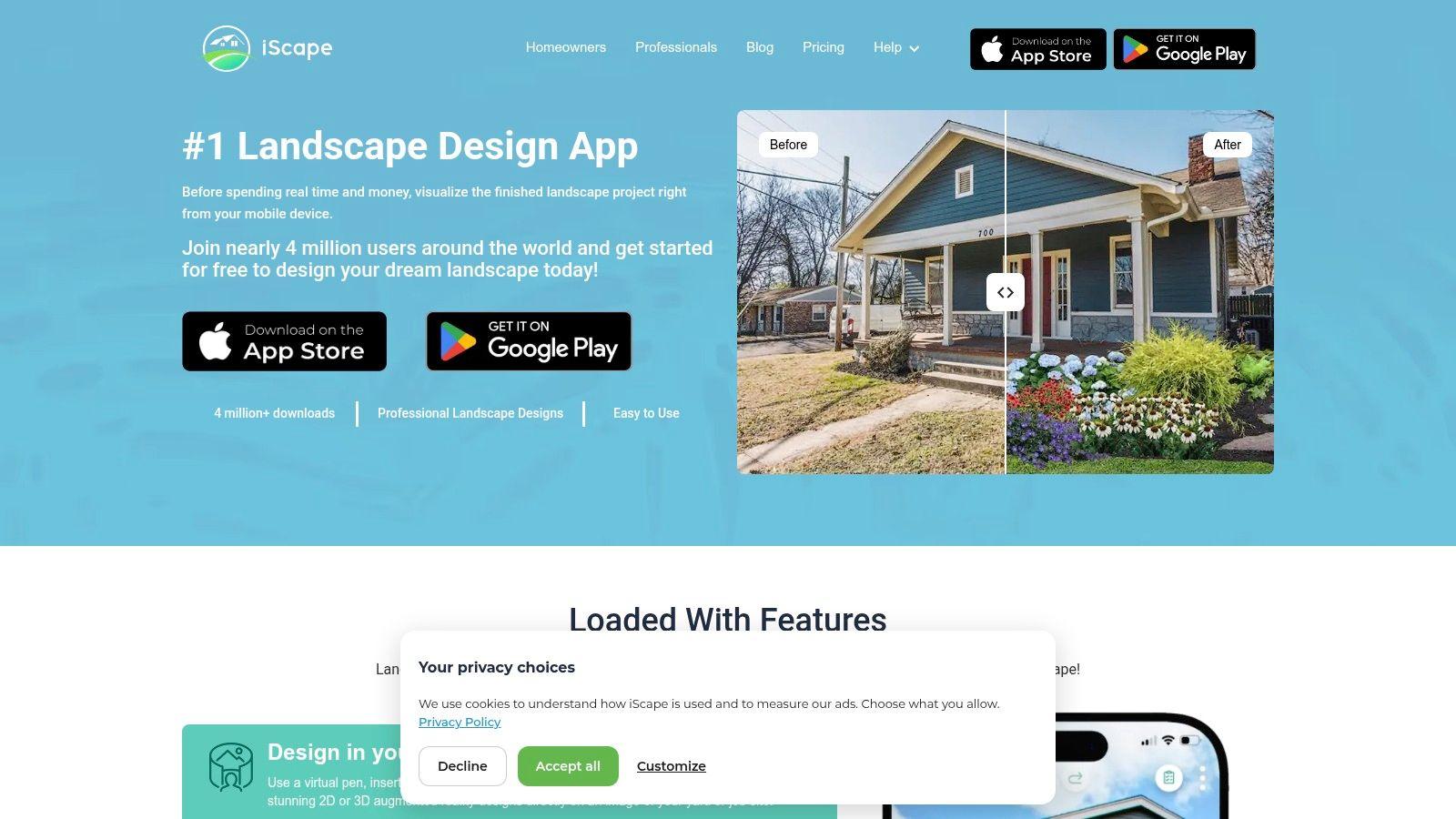
The strongest case for iScape is persuasion. It's a mobile visualizer that lets you place plants and garden elements over a photo of your property, dragging, dropping, and resizing them until the idea reads clearly. It offers 2D and augmented-reality features, with 3D available on iOS according to the site.
That makes it the tool to pull out when a spouse, family member, or gardener needs to see what you mean. Describing a curved bed with a small ornamental tree rarely lands. Showing it on a photo of the actual front yard usually does. Pro tools add a larger catalog, custom images, and proposal functions, which is where contractors get value from it.
A photo overlay settles arguments about placement. It settles nothing about whether the plants will live.
What it can't do is produce a horticultural planting plan. Resizing a plant image on a photo isn't the same as spacing for mature width, and you shouldn't expect precise quantities for ordering. Full access requires a subscription, though a free download and limited trial let you test the workflow first, and some capabilities vary by platform. Use iScape to agree on where the bed goes and roughly what it holds. Then hand the spacing and plant suitability questions to a measured planner or a knowledgeable nursery before money changes hands.
8. GARDENA myGarden
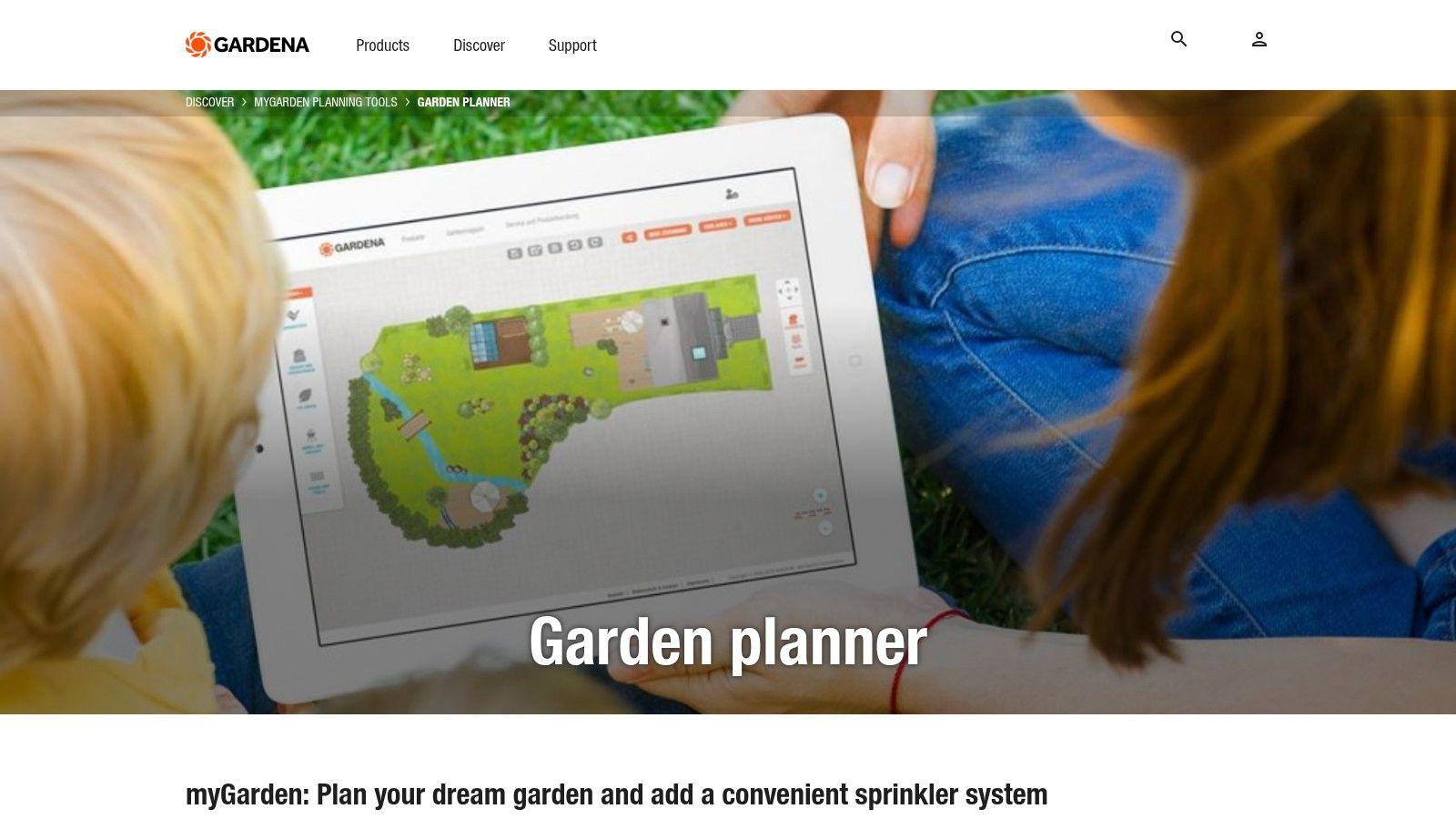
Sometimes the question isn't what goes in the bed. It's where the bed goes at all. GARDENA myGarden is a free online planner for laying out a whole yard, arranging beds, lawns, gravel, water, plants, and furnishings on a grid so you can judge a new border against everything around it.
The grid and scale give you more structure than a freehand sketch, and example gardens save you from a blank page if you're starting from nothing. Plans can be saved and shared once you register, and there's a separate sprinkler-system planning feature if watering is part of the same project. For a new-build yard or a full reshuffle, that whole-space view prevents the classic error of a bed that looks fine alone and blocks the path to the shed.
Limits Worth Naming
- Metric grid: U.S. users may need to convert measurements as they work.
- Layout over planting: Bloom planning and plant-level growing guidance aren't its primary focus.
- Brand-based irrigation: The sprinkler planner is built around GARDENA products.
What it can't do is tell you what will flower in September. Pair it with a plant-focused tool once placement is settled. If you're weighing phone-based options for this stage, see our guide to the Best landscape design apps for how the mobile field compares.
9. Old Farmer's Almanac Garden Planner
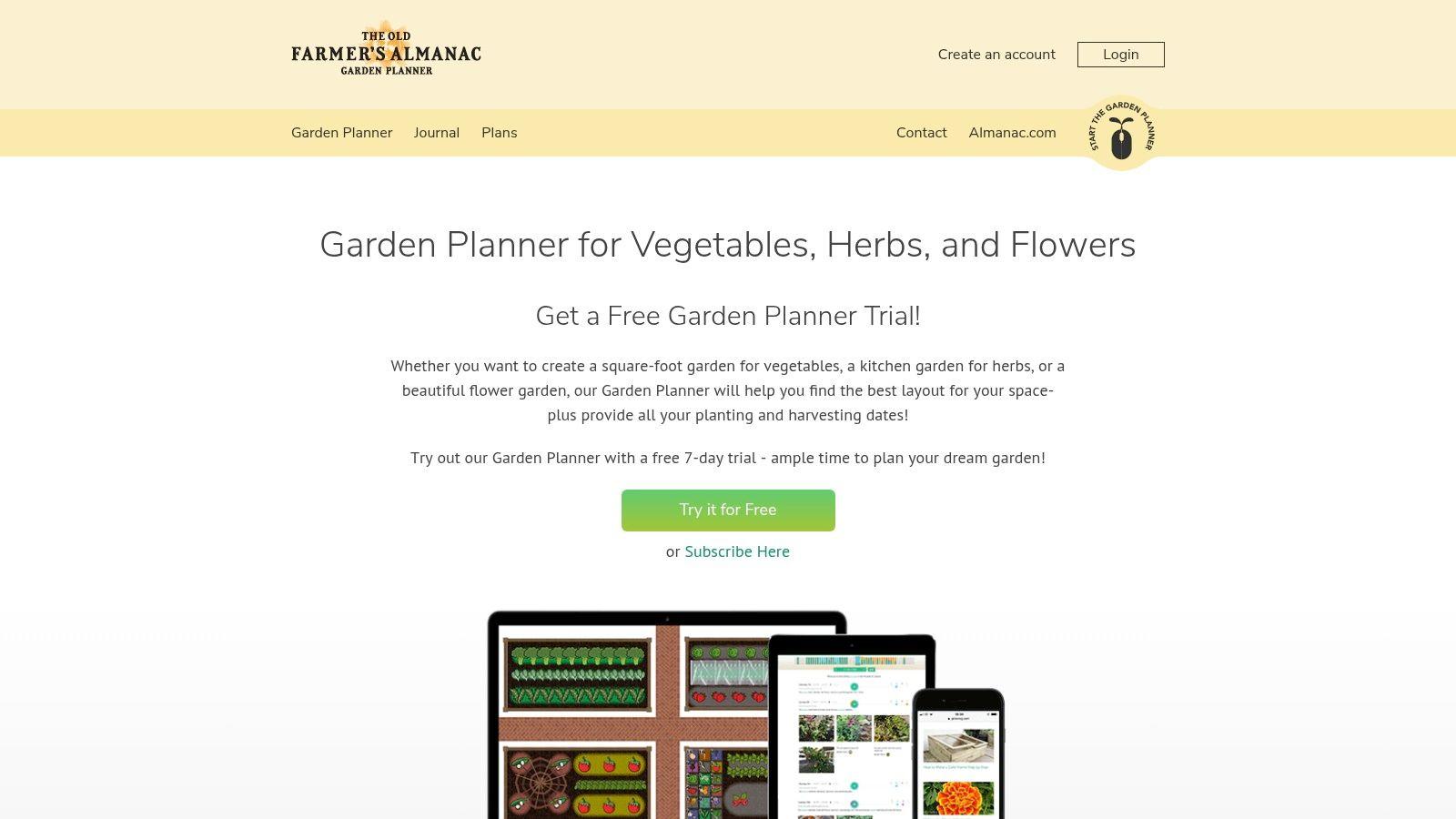
This one answers the when question. The Old Farmer's Almanac Garden Planner is a web-based tool for laying out planting areas in rows, containers, raised beds, or square-foot layouts, then organizing timing with location-based planting information, personalized charts, and reminders.
It's primarily aimed at vegetables, herbs, and fruit, and you should know that going in. But the catalog includes flowers, which makes it a sensible pick if your ornamental bed sits alongside edible planting and you'd rather keep one calendar than two. The journal and plan-printing features help you record what worked, which is the part most gardeners skip and then regret the following spring.
There's a seven-day free trial without payment information, so you can test whether the timing tools fit your habits before committing.
What it can't do is design an ornamental border the way a flower-focused tool can. Color succession, mature form, and layered perennial structure aren't its home ground, and ongoing access requires a subscription, with the number of plans depending on your subscription terms. Choose it when planting dates and reminders are the thing you keep getting wrong, and your flowers are part of a mixed, productive garden. For a purely ornamental bed, you'll outgrow it.
10. PRO Landscape+

PRO Landscape+ sits at the professional end of this list, and it's honest about that. It combines photo imaging from customer photos with scaled CAD-style drawings, a large object library searchable by common or botanical name, material takeoffs, and proposal tools. A companion tablet app for iPad and Android is included, which supports design conversations on site with a client standing next to you.
For a contractor, that combination answers a commercial question. Can I show the client a convincing picture, then produce the measured plan and quantities behind it without switching software? That's a real workflow need, and it's why tools like this exist separately from homeowner planners.
The Practical Catches
- More than a homeowner needs: For a single bed, the learning curve outweighs the benefit.
- Windows-based: Mac users may need a Windows setup to run it.
- Pricing through sales: The vendor directs buyers to its sales team rather than stating a price for everyone.
What it can't do is be a quick Saturday-morning sketch tool. If you're a homeowner, you'll get your answer faster and cheaper from almost everything else here. If you're a designer presenting flower beds as part of larger client projects, it's the one entry built for your working day.
How the 10 flower bed planning tools compare on photo use and pricing
Two filters cut this list down fast: whether a tool works on your own photo, and what it charges. Photo tools show a bed in your yard but rarely hold a measurement. Grid planners measure spacing and shade but plan on a blank sheet. Each row below answers a different question, and the pricing column is where the difference in intent shows up.
| Item | Best for | Uses your photo | Pricing model |
|---|---|---|---|
| AI Garden Planner | Visual planting layouts for your own garden bed | Yes | Paid subscription; Plus and Business plans |
| BloomsEye Studio | Plant-focused layouts with filters for color, bloom time, sun, and hardiness | No | Free tier; paid plans add features |
| Seasonry | Scaled plans with mature plant sizes and seasonal tools | No | Free plan; paid Seasonry+ tier |
| Small Blue Printer Garden Planner | Printable garden plans, plant lists, and notes | No | One-time purchase |
| GardenCAD | Scaled layouts with sun and shade modeling | No | Free |
| Sow | Photo-based planting ideas with plant suggestions | Yes | Free to try |
| iScape | Photo-based yard visualizations and augmented reality | Yes | Free download and limited trial; subscription for full access |
| GARDENA myGarden | Grid-based whole-yard planning | No | Free |
| Old Farmer's Almanac Garden Planner | Planting layouts, schedules, and growing reminders, especially for edible gardens | No | Subscription; seven-day free trial |
| PRO Landscape+ | Professional design, presentations, and project workflows | Yes | Quoted through sales |
Read the columns together. Paid subscriptions cluster around the photo tools, where the render is the product and the plant list comes second. The free entries handle spacing and structure. That split is why careful gardeners often run one of each: a photo tool to test the look, a grid planner to check the fit. Neither will tell you whether a plant suits your climate, so check final choices against your zone before buying.
Match the Tool to the Question You Need Answered
Start with the decision in front of you, because no single flower bed planning tool answers all four of the questions a real bed raises. If you need to see a planting in your own yard before committing, a photo-based tool such as the AI Garden Planner, Sow, or iScape is the right first move. If the argument is about where a bed belongs in the whole yard, GARDENA myGarden gives you that context for free. Different questions, different tools, and using two in sequence isn't indecision. It's how careful gardeners work.
Spacing, shade, and bloom timing are where measured planners earn their place. Seasonry shows plants at mature size with a bloom calendar, GardenCAD models sun and shade by date, and BloomsEye Studio filters by bloom month, sun, and zone before you place anything. These tools feel less exciting than a rendered photo, but they prevent the expensive errors. Crowding, shade-starved perennials, and a bed with nothing in flower after June are all planning failures, not planting failures.
One question almost none of these tools answer well is whether your bed will support pollinators, or just look like it should. A 2025 analysis of more than 100,000 iNaturalist observations across 129 Florida urban greenspaces found that each 10-percentage-point increase in native-plant proportion corresponded to an estimated 20% increase in expected pollinator richness. Flower count and color alone didn't carry the result. Composition did.
Planning for More Than Looks
That finding changes how you should use any tool here. Once a planner gives you a layout, ask what share of it is native to your region, whether plants are grouped so pollinators don't travel far between them, and whether something blooms in each season. The Washington State University Extension guide to attracting pollinators recommends planting several similar plants close together and including at least three pollinator plants in each of the spring, summer, and fall blooming seasons. A plan with one of everything looks diverse on paper and feeds very little.
Group plants in clumps, cover three seasons of bloom, and favor natives where you can. A planner that can't show you those three things needs your judgment layered on top.
Maintenance deserves the same skepticism. A dense, polished rendering says nothing about division, edging, deadheading, or what the bed looks like during winter dieback. Before you buy, walk your chosen plan through a full year in your head and count the chores. If the design needs more hours than you'll give it, simplify the plant list while it's still free to change.
Finally, check every suggestion any tool makes against your climate zone, your soil, and the light you've observed, not the light you hope for. Treat visual concepts as starting points, measured plans as working documents, and plant lists as drafts until they survive those checks. The gardeners who get beds right the first time aren't using better software than everyone else. They're asking the software narrower questions, and answering the rest themselves.
Start with the bed you've been putting off. At OutdoorBrite, you can upload a photo of that bed or border, choose a planting style from cottage to xeriscape, and compare realistic concepts on your own space in seconds, complete with bed shapes and a plant list you can take to the nursery. Try a few styles side by side, keep the one that fits your yard and your budget, and plant it once.
See your yard reimagined
Start creating