AI Landscape Design Tool: A Homeowner's Guide for 2026
Discover how an AI landscape design tool can transform your yard. This guide explains how they work, the benefits, and how to get realistic results.
You're probably standing at a window, or scrolling through photos on your phone, looking at a yard that feels full of potential but short on direction. The grass might be patchy. The patio may look tired. Maybe you've saved ideas for a modern courtyard, a cottage border, or a low-water front yard, but your own space still feels hard to picture.
That's where an AI garden design tool can help. Not as a substitute for real planning, and not as a magic button that solves drainage, budget, or plant survival. It's useful because it gives you a fast visual starting point. You can see possibilities in your actual yard before you buy plants, move soil, or call a contractor.
Your Yard's Untapped Potential
A lot of homeowners get stuck at the same point. They know the yard needs help, but they don't know what to change first. A blank patio feels easier to ignore than redesign. An overgrown side yard feels too messy to tackle. A front bed with a few shrubs and mulch doesn't look terrible, but it doesn't look finished either.
I see this often. Someone wants a calmer backyard for evenings outside, or a cleaner front entrance that feels more welcoming, but they can't turn that vague wish into a layout. They don't need a full construction drawing on day one. They need to see a direction.
That's why these tools have become so interesting. You upload a photo of your real space and test ideas without committing to anything yet. One version might add layered planting and soft paths. Another might simplify everything into clean lines, gravel, and grasses.
Practical rule: Use the first render to react, not to decide. If you instantly dislike something, that's useful. If one style feels close to right, that's useful too.
For many homeowners, that first bit of clarity is the hardest part. Once you can see a yard transformed, the project starts to feel manageable.
What an AI Landscape Design Tool Really Is
Think of an AI garden design tool as digital staging for your garden. It's closer to an interactive mood board than to engineering software. You give it a photo, some preferences, and it generates visual directions for your space.
What the tool is doing
The technology isn't “imagining” a yard in the human sense. It's using learned patterns from design principles, environmental factors, and user preferences to create alternatives. As Landezine notes in its discussion of AI in landscape architecture, AI design algorithms can analyze vast datasets on design principles, environmental factors, and user preferences to generate multiple design alternatives based on specified criteria, helping users explore possibilities quickly during concept development.
That matters because many individuals don't want to draw plans from scratch. They want to answer simpler questions first:
- Style fit: Would my yard look better with modern lines or a softer, natural look?
- Layout feel: Should the path curve or stay straight?
- Planting mood: Do I want lush and layered, or open and minimal?
If you're curious how this works in practice, this overview of innovative landscape design with AI gives a useful example of the category.
What the tool is not
This is the part people often miss. An AI outdoor design tool is mainly for visualization and brainstorming. It helps you discover options. It doesn't replace measured plans, site checks, plant research, or code review.
That distinction saves people money and frustration. A beautiful image can be the beginning of a smart project, but only if you treat it as a beginning.
The 30-Second Makeover Explained
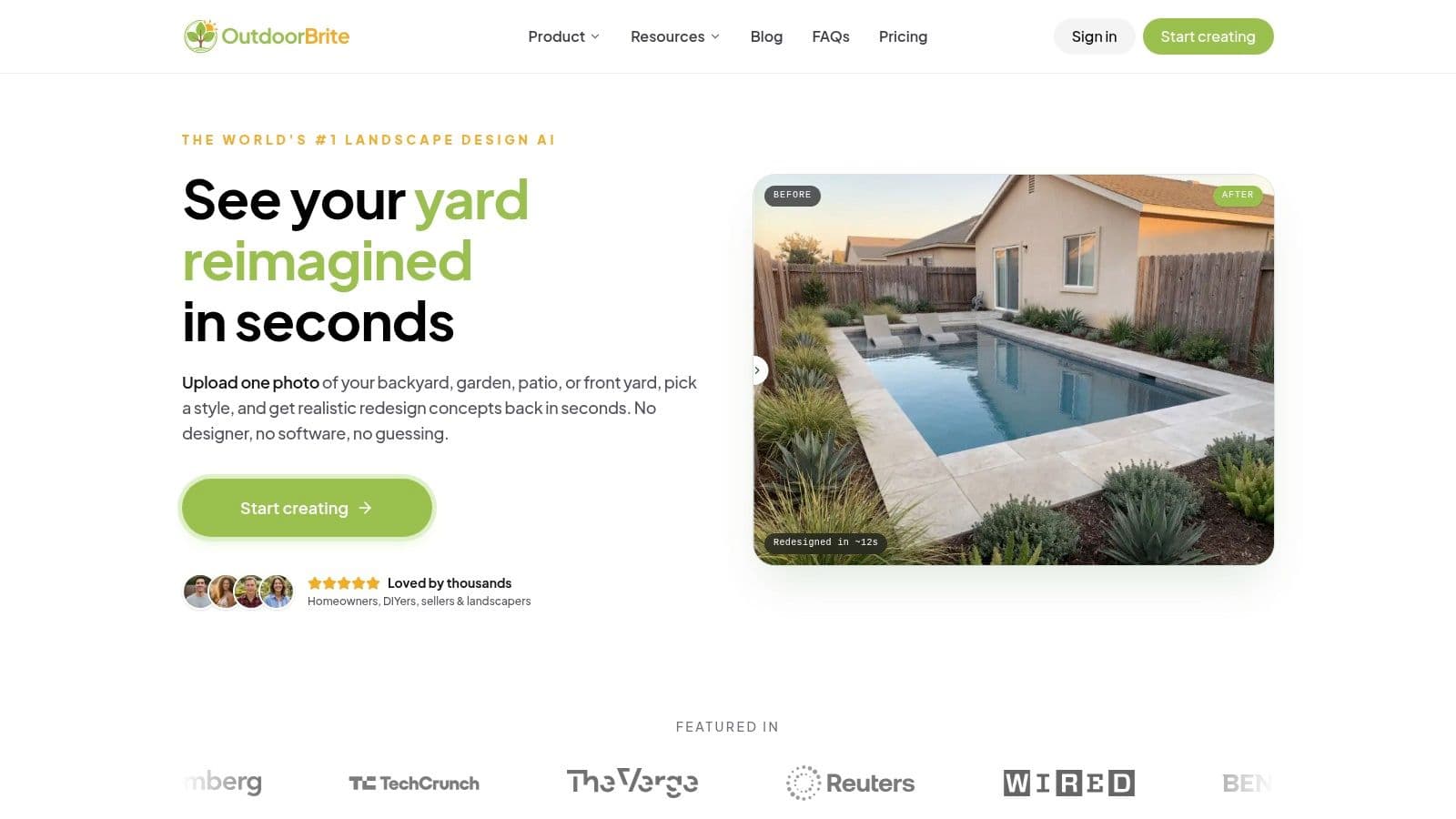
Most tools in this category follow a simple pattern. You start with a photo, choose a direction, and let the software generate concepts from that image.
How the process usually works
-
Upload a clear yard photo
A straight-on image usually works best. Good light helps the tool read edges, beds, fences, and patios more accurately. -
Choose a design style
You might pick something like Modern, Mediterranean, or Japanese Zen. This gives the tool a visual language to work from. -
Generate multiple concepts Instead of staring at one fixed idea, you compare different versions of the same space. That's often where homeowners notice what they prefer.
-
Refine details
Many platforms let you adjust season, lighting, weather, or visual density. Some also let you test hardscape and furniture moods before making real purchases.
One example is ai generated backyard design, which lets users upload a yard photo and produce style-based redesign concepts from that image.
Why the results feel useful so quickly
A good render answers emotional questions fast. Does this look restful? Too busy? Too bare? That's valuable before you spend a weekend digging.
Some systems also go a step further on planting logic. As Eden explains in its overview of AI-powered landscape design, AI garden design tools can optimize plant placement by accounting for mature plant dimensions, which helps prevent overcrowding as plants grow.
A useful render doesn't need to be perfect. It needs to give you a better next question.
You can also see the workflow in motion here:
That speed is its main appeal. You can test a bolder idea, reject it, and try another one in minutes instead of living with uncertainty for weeks.
Instant Ideas and Smarter Planning
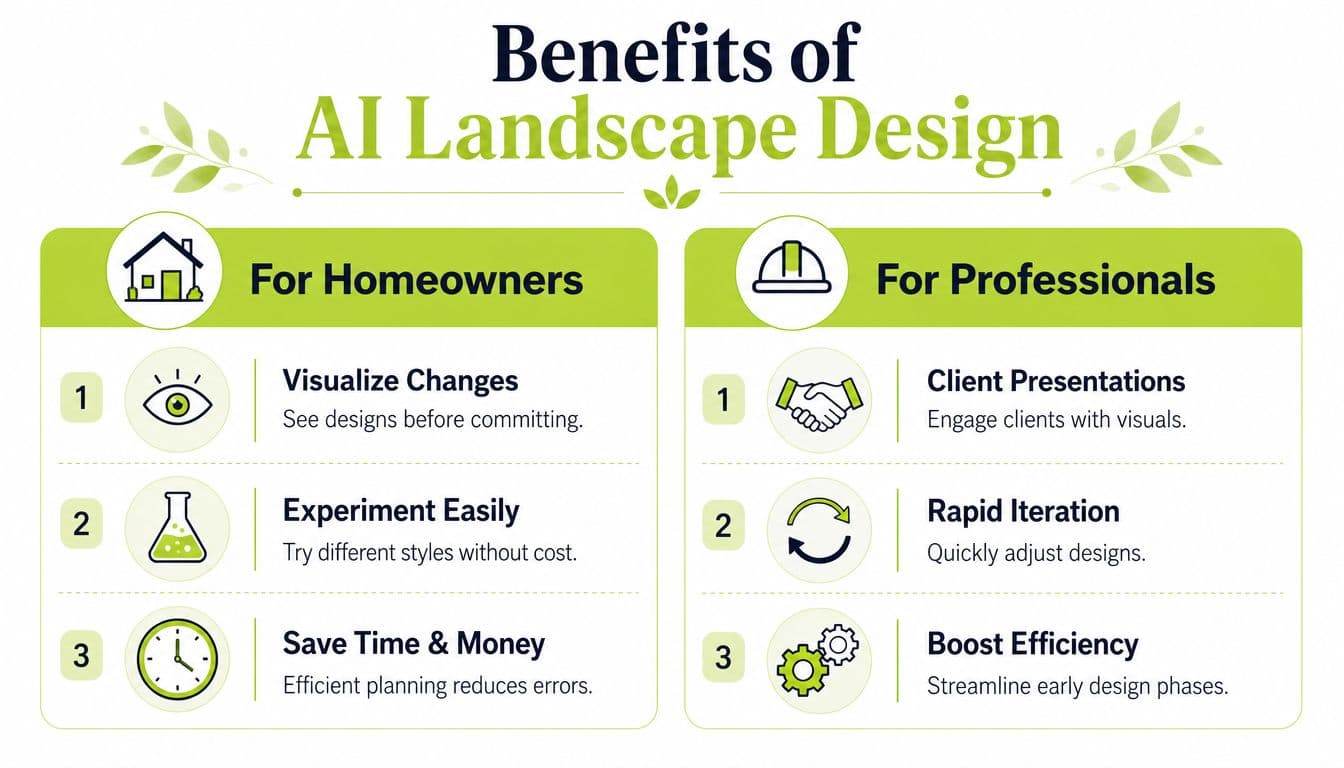
The biggest benefit of an AI design tool is different depending on who's using it. Homeowners use it to reduce hesitation. Professionals use it to speed up early design work and improve conversations with clients.
For homeowners
When you can see your actual yard transformed, decisions get easier. You stop guessing whether gravel feels too stark or whether a dense planting bed will make the space feel smaller.
Here's where that pays off:
- Fewer impulse purchases: You can test a look before buying pavers, planters, or plants.
- Better style decisions: You compare options instead of committing to the first idea that sounds good.
- Clearer contractor conversations: A visual concept is easier to discuss than a verbal description.
If you need inspiration before generating your own concepts, these 12 inspiring landscape designs are a helpful reference point for seeing how different backyard directions can feel.
For professionals
The speed gains are meaningful in early concept work. According to Archivinci's review of AI landscape tools, these tools can reduce manual time for initial site reading by up to 60% in professional workflows, and they can help designers produce 3 to 5 viable concept options from one brief instead of the traditional 1 to 2.
That changes the first client meeting. A designer can show several visual directions, discuss trade-offs earlier, and narrow the brief before investing more time in detailed planning.
More early options usually lead to better feedback, not more confusion, because clients react better to visuals than to abstract descriptions.
Some tools also connect concept generation with rough quantities, material testing, and phasing ideas. For a homeowner, that makes planning feel less intimidating. For a pro, it helps structure the next step.
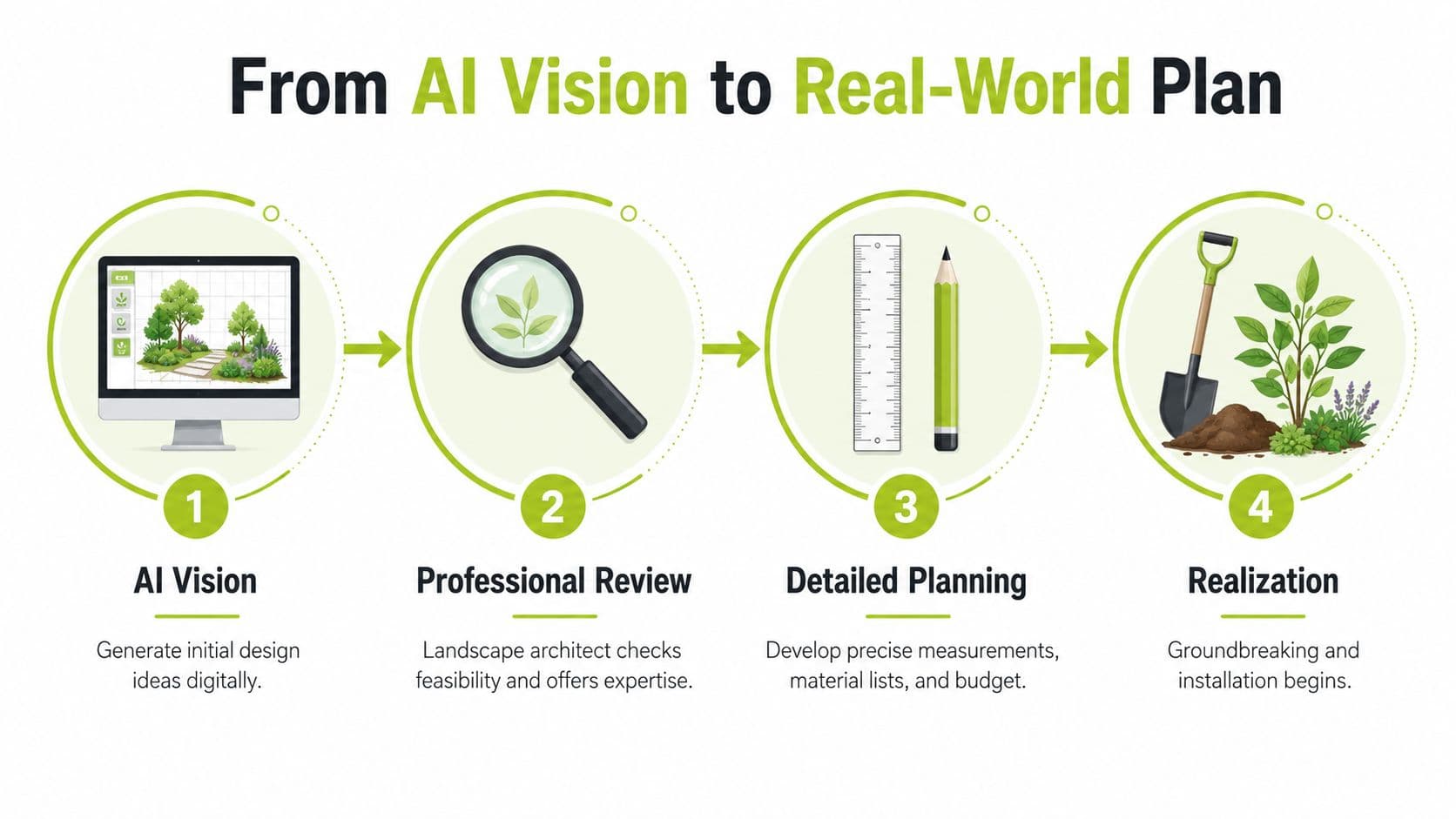
From AI Vision to a Real-World Plan
This is the line I want every homeowner to remember. A beautiful render is not an installable plan.
The mistake that causes trouble
People see an attractive AI image and assume they can start buying exactly what they see. That's risky. An outdoor space professional warned in this YouTube discussion about AI landscaping tools that a generated image “is not an outdoor space design plan” because it doesn't account for budget, site-specific plant suitability, or realistic installation phases.
That warning is practical, not anti-technology. The image may show plants that won't thrive in your soil. It may ignore drainage problems. It may suggest a path width or retaining idea that needs real measurements and review.
What to do after you generate a concept
Use the AI image as Step One, then validate it.
- Check plants against your region: Confirm hardiness, sun needs, and native suitability.
- Look at site conditions: Test drainage, notice slope, and pay attention to compacted or sandy soil.
- Review hardscape details: Make sure paths, patios, and walls work with real dimensions.
- Confirm rules locally: Setbacks, tree protections, and permit issues can affect what's possible.
If you want a photo-based starting point before moving into those checks, ai landscape design software can be used for early concept generation.
Use AI for direction. Use human judgment for decisions that affect safety, budget, and plant survival.
That's the responsible way to use this technology. It keeps the fun part of fast visualization while avoiding expensive DIY mistakes.
Quick Tips and Common Questions
A few habits make these tools much more useful.
- Use a clean photo: Good light and a full view of the space give better results.
- Try more than one style: Your favorite may not be the one you expected.
- Prompt for real conditions: Include “specific plant species adapted to the region” and “climate adaptation considerations,” which Poynter Landscape highlights as important for sustainable AI use.
- Think small spaces too: Patios, courtyards, balconies, and side yards can all benefit from quick visual testing.
Common questions come up fast. Yes, beginners can use these tools. No, you don't need design experience to get helpful ideas. And if privacy matters to you, read the platform's image and data policies before uploading photos of your property.
If you want to test ideas on your own yard without committing to materials or labor first, OutdoorBrite is one option for turning a yard photo into visual redesign concepts you can review, compare, and then validate before building.
See your yard reimagined
Start creating