Best Online Landscape Design Tool: Guide 2026
Transform your yard with the best online landscape design tool. Discover AI features, workflows, & tips for stunning designs in 2026.
You're standing at the window, looking at a yard that doesn't match the one in your head. Maybe the lawn is patchy. Maybe the patio feels exposed and unfinished. Maybe the front bed has turned into a mix of overgrown shrubs and good intentions. You want something better, but every decision seems expensive, permanent, and easy to get wrong.
That's where a modern online outdoor design tool changes the feeling of the whole project. Instead of jumping straight to contractors, graph paper, or impulse buys at the garden center, you can test ideas first. You can see what a gravel path, a new planting bed, or a different patio layout might look like before you commit money and labor.
I've watched homeowners get stuck at this exact point for years. They don't lack taste. They lack confidence. Once they can see a direction clearly, they start making smarter choices and moving faster. If you're also thinking about first impressions from the street, these curb appeal ideas for Colorado Springs homes are a useful companion because they show how small exterior changes can shift the whole feel of a property.
One easy place to start exploring the category is Outdoorbrite. Tools like this aren't just for pros anymore. They've become a practical way for homeowners and renters to turn a vague idea into something they can evaluate.
Introduction From Blank Yard to Dream Oasis
You step outside with a few loose goals in mind. More privacy from the neighbors. A comfortable place to sit after a long day. A front walk that feels welcoming instead of patched together. Then the questions start piling up. Where should the path go? How wide should the bed be? Will those shrubs make the space feel cozy or crowded?
That uncertainty is what stalls so many yard projects. The issue usually is not taste. It is translation. Turning a fuzzy idea in your head into something you can see, compare, and trust is the hard part.
An online outdoor design tool helps with that translation. It works like tracing paper over a photo of your own yard. You can test planting beds, paving, screening, lighting, and seating without committing money, time, or sore muscles first. The goal is not just to make pretty mockups. The goal is to make clearer decisions.
That is why I like using tools such as Outdoorbrite early in the process. AI features can feel technical at first, but in practice they act more like a fast sketch partner. You give the tool a real photo and a few style cues, and it gives you versions to react to. Once you can react to something concrete, your choices get easier.
A simple rule guides the whole workflow.
Practical rule: If you can see two or three believable options, you can judge what fits your home, budget, and daily life much more confidently.
That shift is the win. You stop asking vague questions and start asking useful ones. Which layout gives me privacy without blocking light? Which materials fit the house? Which version would I still like a year from now? If you are also thinking about the view from the street, these curb appeal ideas for Colorado Springs homes pair well with the planning approach here because they show how small exterior changes can reshape the feel of a property.
What Exactly Is an Online Landscape Design Tool
An online outdoor design tool is a planning workspace for your yard on a screen. You start with a photo, a rough layout, or a few style ideas, and the tool helps you turn those loose thoughts into something you can inspect. Instead of wondering whether a patio will feel cramped or whether a planting bed is too deep, you can see a draft and react to it.
That shift matters early.
Before these tools became common, homeowners usually had three options at the start. Sketch on paper, hire a designer before the project was fully formed, or make purchases based on guesswork. Paper plans often failed to show scale in a way that felt real. Early professional help can be worthwhile, but it is not always the first step people need. Guessing is expensive.
Why these tools changed early planning
What changed was not just the ability to draw shapes online. The useful part is the feedback loop. You test an idea, see it in context, adjust it, and compare versions while the stakes are still low.
That is why a good tool supports both vision and decision-making. Some products focus on measured plans. Others focus on photo mockups. The strongest ones help you move between the two. You might begin with a photo-based concept, then use a cleaner overhead view to sort out circulation, bed size, or patio placement.
If you want a current example of that photo-first approach, ai landscape design software gives homeowners a way to upload yard images and generate visual concepts they can refine.
A useful comparison comes from home furnishing. Many retailers now help shoppers visualize furniture before you buy because context changes your judgment. A sofa that looked perfect on a white product page can feel oversized in your actual room. Outdoor planning works the same way. A fire pit, path, hedge, or dining area may sound right until you see it placed in relation to the house, windows, and walking routes.
What these tools usually help you do
The category covers a few different jobs, and beginners often get confused because one tool may do only part of the work. It helps to separate them.
- Photo concepting: add redesign ideas to a real image of your yard, entry, or patio
- 2D layout planning: map beds, paving, structures, and circulation from above
- 3D previewing: study height, spacing, and mass in a more lifelike view
- Sharing and exporting: save versions, get family feedback, or hand a clearer concept to a contractor
Some platforms also support collaboration and revision in the cloud, which makes them more useful than a one-time inspiration app. The point is not to chase every feature. The point is to know which job you need the tool to do first.
A better mental model for beginners
Many homeowners assume the software should arrive with finished answers. That expectation creates frustration. These tools work better as a fast visual partner for decision-making. They help you ask better questions, test hunches, and narrow choices.
Here is the practical model I use with clients and DIY homeowners alike. Start broad, react candidly, then refine. Your first version is closer to a fitting-room try-on than a final blueprint. It tells you what feels too busy, too sparse, too formal, or just right.
The first draft gives you something concrete to judge.
Once people understand that, the process feels much less technical. You are not trying to become a garden architect overnight. You are learning to use the tool the way a good designer uses tracing paper, quick sketches, and material samples. As a thinking aid. As a way to move from vague taste to a plan you can trust.
The AI Magic Powering Your Perfect Yard
A good AI yard tool works less like a machine giving orders and more like a designer sketching ideas on tracing paper over a photo of your space. You bring the real-world constraints. The tool helps you test possibilities fast enough that decision-making starts to feel creative instead of stressful.
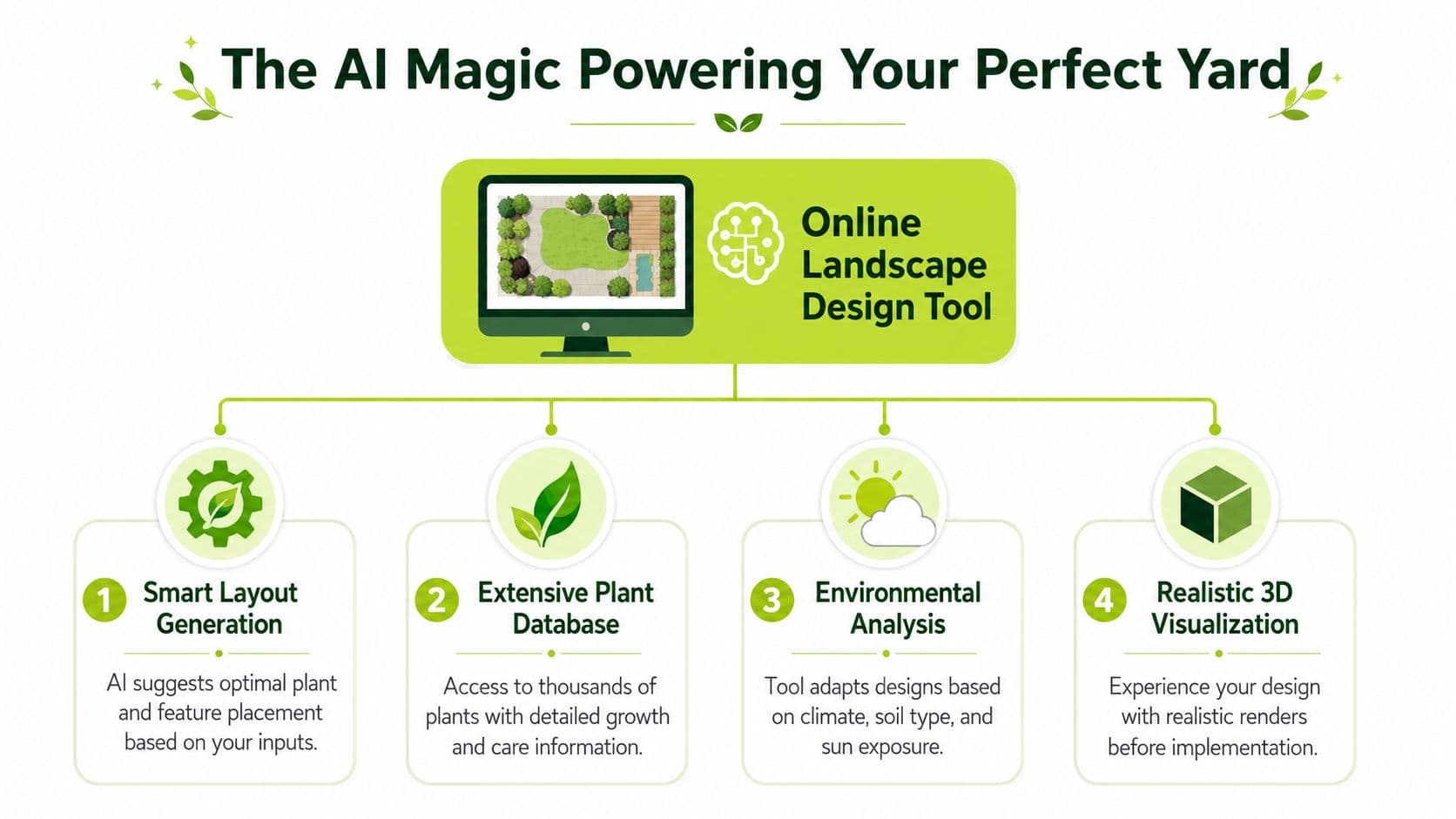
Photo redesigns that create momentum
The first helpful AI feature is photo-based redesign. You upload a picture of your yard, patio, or entry area, and the tool produces a new concept on top of what already exists. That changes the job from inventing an outdoor design from nothing to reacting to a visible draft.
That shift matters. Homeowners often do not lack inspiration. They lack a way to judge whether an idea fits their house, their budget, and the way they use the space.
If you want to see this category in action, ai landscape design software uses uploaded yard photos to generate concepts you can review and refine.
Style libraries that turn vague taste into direction
Many people describe their ideal yard with soft words like "clean," "warm," or "relaxed." Those words are real, but they are hard to build from. A style library translates them into clearer outdoor design directions such as modern, cottage, Mediterranean, or Japanese-inspired.
It helps in two practical ways:
- It saves decision time: You start with a visual family of ideas instead of hunting through random examples.
- It expands your range: You may notice a look that fits your home better than the one you had in mind.
Style browsing works like trying on jackets before buying one. You learn what fits your house and your taste by seeing options in context.
Scene controls that reduce second-guessing
One of the most useful advanced features is realistic visualization with editable scene settings. Some tools let you adjust materials, lighting, and layout variations so you can compare options before spending money on plants, paving, or structures. iScape's 2026 tool guide notes the value of testing choices in a digital model before committing to the work.
This becomes practical very fast. A paver that looks bright and elegant in midday sun may feel washed out in evening light. A dark overhead structure may add welcome contrast in one version and feel too heavy in another.
A yard plan is easier to trust when it still looks good under different conditions.
Smart fill and suggestion tools
Some AI systems can also suggest ways to complete awkward gaps. That might include grouping plants, shaping bed edges, or adding supporting elements so the whole yard design feels balanced.
I explain this to clients as the digital version of setting a table for guests. You notice where the arrangement feels empty or crowded, then adjust until it feels right. The software helps you get to that point faster, but your judgment still leads the process.
That is the core value of AI here. It does not replace taste. It gives you faster drafts, clearer comparisons, and more confidence in the choices you keep.
Your First Design A Step by Step Workflow
The first time you use an online outdoor design tool, it helps to treat the process like a short design session instead of a giant project. You're not solving everything at once. You're moving from rough idea to visible direction.
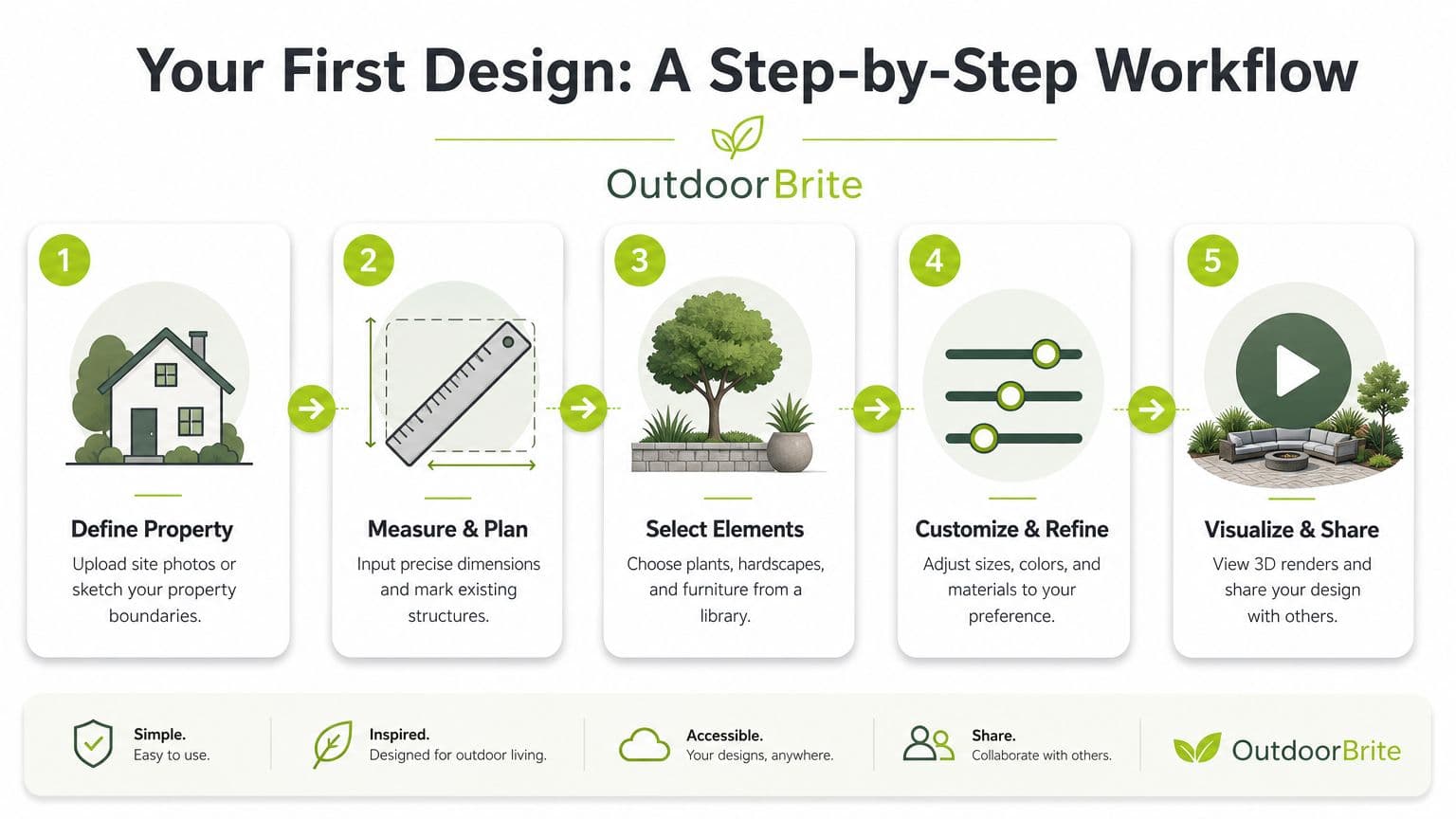
Start with one clear photo
Choose one view of the area you care about most. That might be the back corner of a lawn, a plain patio edge, or the front entry walk. A single strong image is enough to begin.
If your space is large, don't try to redesign the whole property in one shot. Pick the zone that will create the biggest daily improvement.
Mark the working area
Most beginners skip this mentally, even if the software asks for it. Tell the tool where the design should happen. That keeps the concept focused and prevents visual clutter.
Useful boundaries include:
- Existing hardscape: Patio edges, driveways, steps, and walls
- Fixed features: Trees, fences, sheds, and pools
- Movement paths: Gates, doors, walkways, and play areas
This is the point where practical planning starts to separate itself from pure inspiration.
Choose a style, then generate options
Once the area is defined, pick a design direction. Don't overthink this. If you're torn between two styles, generate both and compare them. Seeing is faster than debating.
The most helpful workflow is usually:
- Pick one style that feels safe.
- Pick a second style that feels slightly outside your comfort zone.
- Compare the results side by side.
That contrast often tells you more than the individual designs do.
Refine instead of restarting
After the first concept appears, many people think they should either accept it or scrap it. Better results usually come from editing. Swap plants. Simplify the bed line. Change the paving tone. Remove what looks busy.
For broader project planning after that first concept, OutdoorBrite's complete landscaping guide is a helpful next read because it connects the visual idea to real yard decisions.
Don't ask, “Is this perfect?” Ask, “What's the next improvement?”
Save and compare your versions
Keep more than one option. A quiet, low-maintenance version may beat the flashier one after a day or two. A comparison habit also helps if you're discussing the project with a partner or contractor.
The workflow gets easier fast. Once you've done one corner of one yard, the tool stops feeling like software and starts feeling like a design notebook.
From Drab to Dreamy Practical Use Cases
The value of an online outdoor space design tool becomes clear once users see it solving a familiar problem. Its true value isn't just about features. It's about whether it helps a plain, awkward, or underused space become more livable.
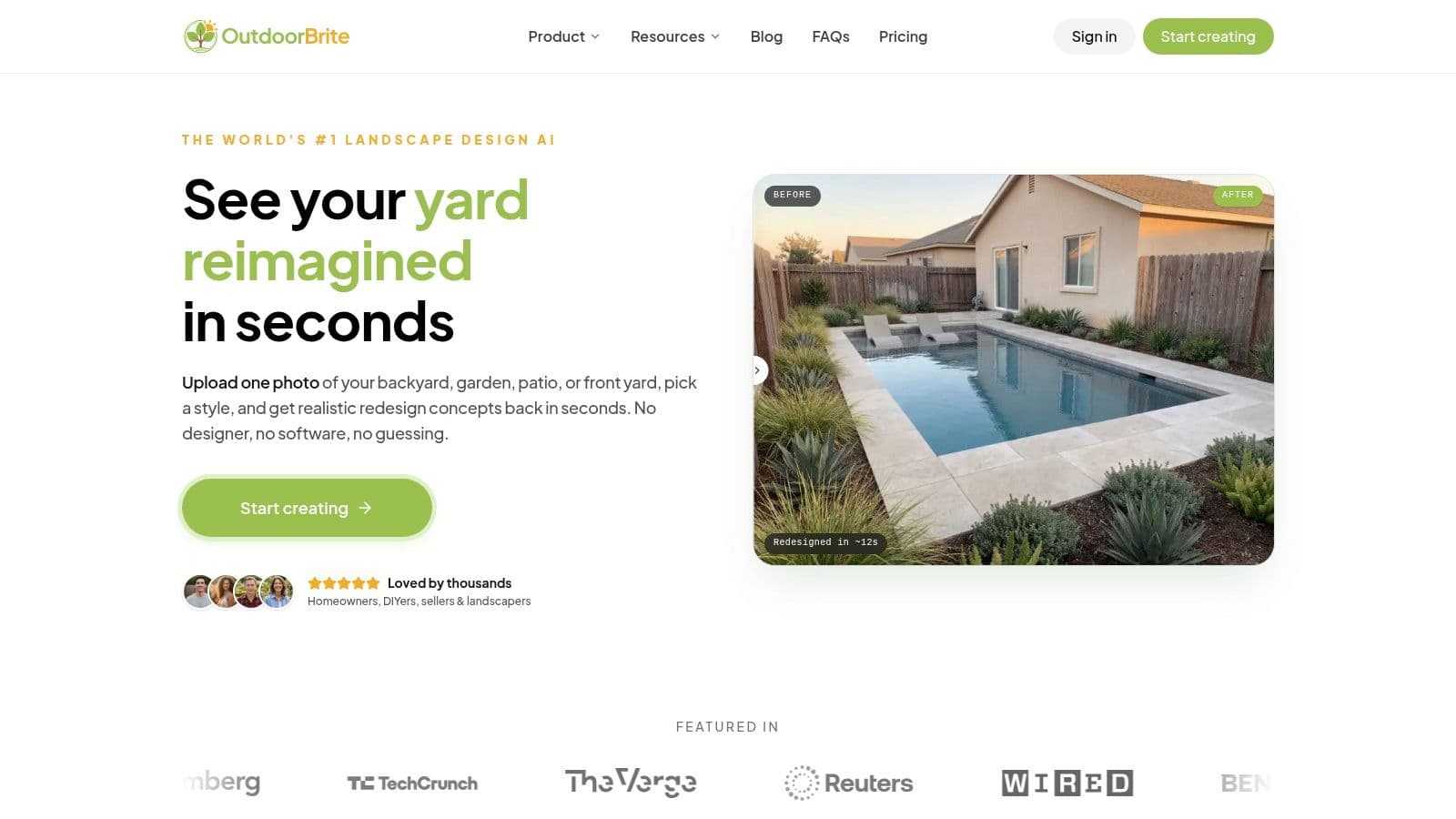
The neglected backyard
Before, this space is often just lawn and fence. There's no focal point, no reason to linger, and no logic to how the yard is used. A tool lets you test zones before you build them. Seating in one area, planting in another, maybe a small path that gives the yard a destination.
What changes most isn't just appearance. It's behavior. The yard starts telling you how to use it.
The boring patio
Patios often have a hard floor but no atmosphere. They feel exposed, flat, and unfinished. With a visualization tool, you can try layering in planters, a pergola, screening, or lighting to turn that slab into an outdoor room.
If you want inspiration for a more refined entertaining setup, these luxury outdoor living space ideas are useful because they show how structure, furniture, and planting can work together.
A patio redesign becomes much easier once you can see vertical elements. People often underestimate how much privacy, softness, and comfort come from height changes rather than just more furniture.
The front yard that lacks welcome
Front yards are where visual planning pays off quickly. A redesigned walkway, new foundation planting, and better-balanced entry beds can change the whole arrival experience.
Here's a simple before-and-after pattern I see often:
| Before | After |
|---|---|
| One lonely shrub by the porch | Grouped planting with depth and repetition |
| Narrow or visually weak entry path | Walkway with clearer shape and stronger presence |
| Little nighttime character | Lighting that highlights the route and entry |
The renter-friendly refresh
Not every project needs excavation. Renters and short-term homeowners can use these tools to test movable containers, temporary screening, outdoor rugs, and furniture groupings. The space still improves, but the commitment stays lighter.
That's one of the nicest surprises in this category. The tool isn't only for major construction. It also helps with small, reversible changes that make outdoor living feel intentional.
How to Choose the Best Tool for Your Project
Choosing a tool gets easier once you stop asking, "Which one has the most features?" and start asking, "What decision am I trying to make?" That small shift changes everything. A homeowner testing a few garden ideas needs a very different tool from someone mapping steps, walls, and fence lines for a contractor.
I like to sort tools into three jobs. Idea generation, planning, and presentation. Some platforms do one of those jobs very well. A few try to do all three, but usually one strength stands out.
Start with the job, not the feature list
If your yard still feels fuzzy in your mind, begin with a photo-based or AI-driven tool that can produce concepts quickly. It works like sketching on tracing paper. You are not committing yet. You are trying to see shape, mood, and direction.
If you already know the general style and need something buildable, look for tools with dimension controls, boundary setting, and scale-aware planning. Those features matter because they help you test whether a path is comfortably wide or whether a planting bed leaves enough room to walk through the space.
If you need to show the project to a spouse, client, or contractor, clarity matters most. In that case, choose a tool with clean exports, realistic views, and simple sharing options. A good image helps other people react to the actual idea, not a rough guess in your head.
What makes a tool useful in real projects
A pretty rendering can inspire you. A measured plan helps you make decisions with confidence.
That is why I pay close attention to whether a tool can handle real dimensions instead of only dropping visual elements onto a photo. Tools with site measurements are better for paths, retaining walls, fences, and other built features because they reduce the amount of guessing. Fine Gardening makes a similar distinction in its review of landscape design software for home gardeners.
This is also where AI earns its place in the workflow. The strongest AI tools do more than decorate a picture. They help you test options quickly, compare versions, and move from "maybe this could work" to "yes, this layout solves the problem." OutdoorBrite is a good example of that kind of tool. It helps you move from a vague idea to a clearer plan without making the process feel like technical drafting school.
A simple evaluation grid
Use these questions when comparing options:
- Rendering quality: Do the images feel believable enough to support real choices?
- Learning curve: Can you get a useful draft quickly, or does the tool demand a lot of setup first?
- Editing flexibility: Can you revise materials, planting, and layout without rebuilding the whole design?
- Output type: Are you getting concept visuals, measured plans, or both?
- Workflow fit: Does the tool help you at your current stage, or is it built for a later stage of the project?
Choose the simplest tool that still answers your real project questions.
For a patio refresh, a heavy professional drafting platform may be more work than you need. For walls, steps, drainage changes, or fencing, a casual concept generator may leave too many unanswered questions. The best choice is usually the one that matches your next decision, not the one with the longest feature list.
Tips for Getting Professional Quality Results
Professional-looking yard plans come from good judgment more than button-clicking. The tool helps you see options, but your inputs and editing choices shape whether the result feels polished or confused.
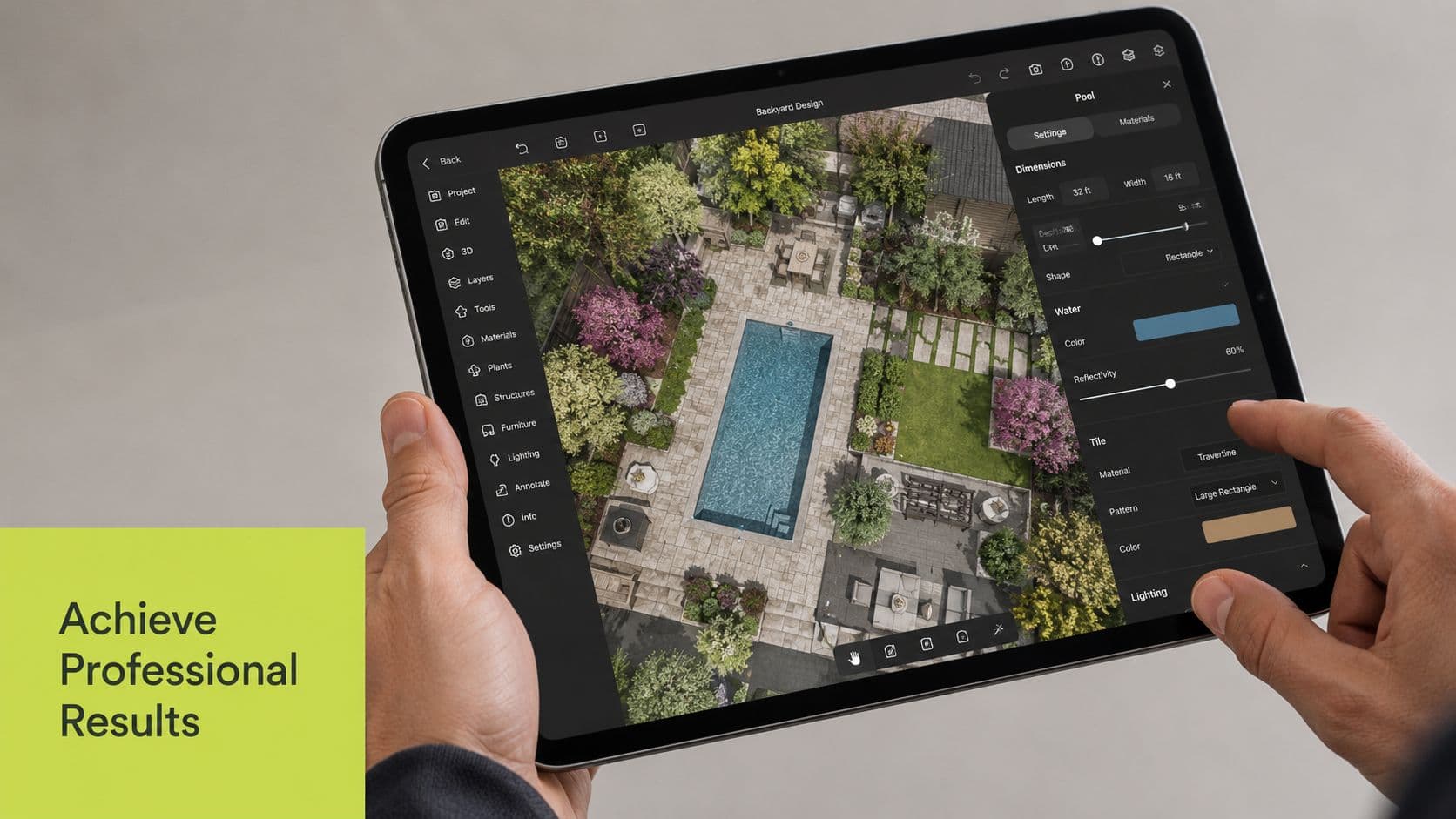
Start with a photo that gives the AI room to work
AI yard design works a bit like a helpful assistant reading a rough sketch. If the photo is dark, tilted, or cropped too tightly, the assistant has to guess. Better photos lead to clearer concepts.
Take the photo from a corner or side angle so the space has depth. A straight-on shot of a fence or lawn hides how areas connect. Soft daylight also helps because edges are easier to read and materials look more true to life.
A few quick fixes make a big difference:
- Clear distractions: Move bins, hoses, and toys if you can.
- Show the full project area: Include the patio edge, walkway, or garden bed line you want to change.
- Keep the shot level: A steady image makes layouts feel more believable.
Use the first draft as a working sketch
Your first AI result is a draft, not a verdict. Garden designers rarely nail a plan in one pass. We test, compare, and adjust.
Tracing paper is a useful comparison here. Each new version should answer one question at a time. Keep the layout and swap the plant style. Keep the planting and test a different paving material. That approach teaches you what changed and whether it improved the space.
This is the mental model that helps people get better results with tools like OutdoorBrite. Use AI to compare decisions, not to chase one perfect image on the first try.
Run every idea through a real-world filter
Pretty pictures are easy to like. Good outdoor plans also need to live well.
Before you approve a concept, pause and ask:
- Will these plants suit my climate and sun exposure?
- Does the layout leave comfortable room for walking and furniture use?
- Can I maintain this plan without turning weekend care into a chore?
A beautiful rendering only succeeds if the real yard can support it.
This short video adds useful visual context for thinking through outdoor design choices and refinements:
Use realism as a proofreading tool
Photorealistic previews are most useful when you inspect them with a critical eye. Look for crowded doors, awkward paths around furniture, or shrubs that seem too large for the bed. Then zoom out. A strong plan should still read clearly from the house and from the far end of the yard.
Restraint usually makes designs feel more professional. Fewer materials. Repeated shapes. Better spacing. Clear zones for dining, play, planting, or lounging.
If you want a fast way to turn a real yard photo into concepts you can compare and refine, OutdoorBrite is a practical place to start, as noted earlier. It helps move the project out of the abstract stage so you can make outdoor decisions with more confidence and less second-guessing.
See your yard reimagined
Start creating